A Google Analytics 4 (GA4) audit is what lets a company use the tool effectively and trust its data. Unfortunately, simple implementation mistakes can lead to serious misreadings of the data and to important marketing decisions being based on them. If you're wondering whether you measure your activities properly, whether your sales data is correct, and whether you can use it to settle accounts with your vendors, you're in the right place.
Rafał Piszczatowski
Reading time: 6:00
GA4, Google Tag Manager and Consent Mode audit: a full Google Analytics 4 review
Why is a GA4 audit important?
It's rare for a GA4 property not to need any optimization. Every audit turns up things to improve. What matters is how significant those fixes are. Some properties record high revenue yet have their main sales events implemented incorrectly, or use only a small fraction of what GA4 can do.
People who use GA4 data very often assume it's accurate. They don't need to know GA4, because their job in the business is something else. Unfortunately, relying on incomplete or incorrect information in areas like marketing can lead to bad decisions and budget spent on the wrong goals.
The audit also matters for our cooperation. We review the whole account and get to know its structure, event taxonomy and main business goals. During the audit we learn about the client and what they expect from GA4, so we understand how the organization uses its analytics tools and can tailor the audit to the client's needs.
The Consent Mode era: a key part of the audit
Google Analytics 4 is only as good as the data flowing into it. In today's era of cookie consent this matters, because with the right implementation you can keep data collection at a steady level (around 85% of the actual CRM data). Unfortunately, relatively few accounts make full use of Google Consent Mode v2 even now, and despite having enough volume and data, they don't use data modeling or don't access that data directly in BigQuery.
The most common mistakes and things to optimize
Missing exclusions for bank redirects
A mistake we see regularly is missing exclusions for bank and payment referrals. It's an ongoing task, because new payment referrals appear from time to time. The most recent one was e-blik. Check whether your account's exclusion list is kept up to date, so sales are attributed correctly. In extreme cases, missing exclusions mean you lose the purchase path entirely and can't attribute revenue to the right sources (at least not automatically in GA4 reports)
Sending the “purchase” event too late
A common area for optimization is sending the "purchase" event only after the user returns from the bank's page. This delay can make the data inaccurate, because not every user comes back to the site after paying. To keep the data accurate, the "purchase" event should be sent right after the purchase. Of course, sometimes the payment doesn't go through. That's why it's best to record two such events, so you know exactly how many payments were completed. It's also worth comparing these results with your CRM data to find the best solution.
Incorrectly implemented Google Consent Mode v2
If your site gets a lot of traffic, you should use data modeling and make sure your Consent Mode implementation is correct. We've covered this topic in several articles. You can read why a correct implementation is worth it here: https://bettersteps.pl/en/blog/ga4-with-vs-without-google-consent-mode. And here are the implementation instructions: https://bettersteps.pl/en/blog/google-consent-mode-v2-practical-guide.
Not using GA4 data for remarketing
Google Analytics 4 can collect a wide range of data, including information about your customers and the product and service categories they browse and buy. You can use this information for analysis to better understand your customers' behavior and preferences. Most importantly, you can build remarketing audiences that let you reach customers who have already shown interest in your products or services. Even with plenty of data and an extensive Data Layer, a common mistake is creating very narrow audiences. Another common problem is missing integration between Google Ads and Google Analytics 4. Keep an eye on both to get the most out of Google Analytics 4.

What do we check in a GA4 audit?
GA4 settings
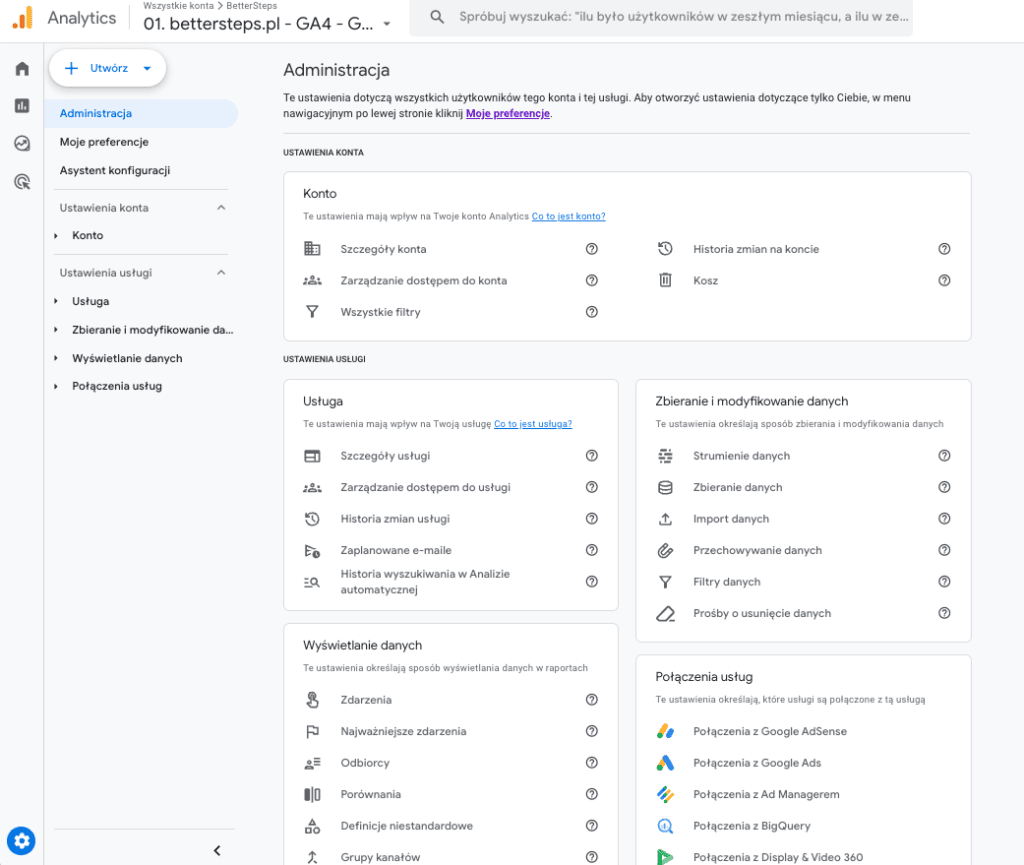
When auditing GA4 settings, we thoroughly check the account configuration to make sure it's set up correctly, which is essential for accurate tracking and analysis. We review everything at the property level: attribution, cross-domain tracking, data retention, time zones, as well as access levels and how access is granted.
Traffic acquisition
For traffic acquisition, we focus on how well different channels drive traffic to the site and on identifying problems that may affect traffic quality or volume. In GA4, a noticeable problem can be a large share of (not set), that is, unattributed traffic.
The Data Layer
When auditing the data layer, we look at how data is collected and stored, how it's used, and whether the whole data layer is passed on correctly.
Custom events
We check whether all sales and non-sales events fire correctly, and how and when they're sent.
Cookie consent mode
We check whether cookie consent mode is configured correctly and complies with current regulations, so user privacy is protected and you can use analytics data lawfully. No consent doesn't mean you can't have any information about the event itself. We described how to get to the data without analytics consent in this article: https://bettersteps.pl/en/blog/google-consent-mode-data-bigquery
Google Tag Manager
The data flowing into GA4 usually comes from tags in GTM. During the audit we check whether GTM is configured properly, whether there are unnecessary tags, and whether there are other reasons to optimize the container. Besides GA4 tags, when we review the main scripts we always verify that remarketing tags are sent correctly.
BigQuery
For BigQuery, we assess how the organization uses it to store and analyze large datasets. We review the existing BigQuery link and help optimize queries.
Looker Studio
In a Looker Studio audit we focus on how the organization uses the tool to visualize data and generate insights. We check the dimensions and data used and how they're calculated, to make sure the data shown is useful to the people reading the report.
Audit summary
For us, a GA4 audit is the starting point for further cooperation and for deciding which direction to take. It gives us a solid foundation of reliable, trustworthy data, which you need to use that data effectively. After a careful audit, you can rely on the data across your organization with full confidence and turn it into higher revenue. It also helps you understand the current situation better, anticipate future trends and make informed decisions. With that in place, we can move with our partners to the next stages of cooperation, which cover using the data as well as analyzing and interpreting it in the context of the organization's long-term goals.