September brought some genuinely interesting and useful features in the Google world, plus a nice new solution from Stape.
Adam Brzostek
Reading time: 3:00
Analytics news: September 2026
Google Tag Manager
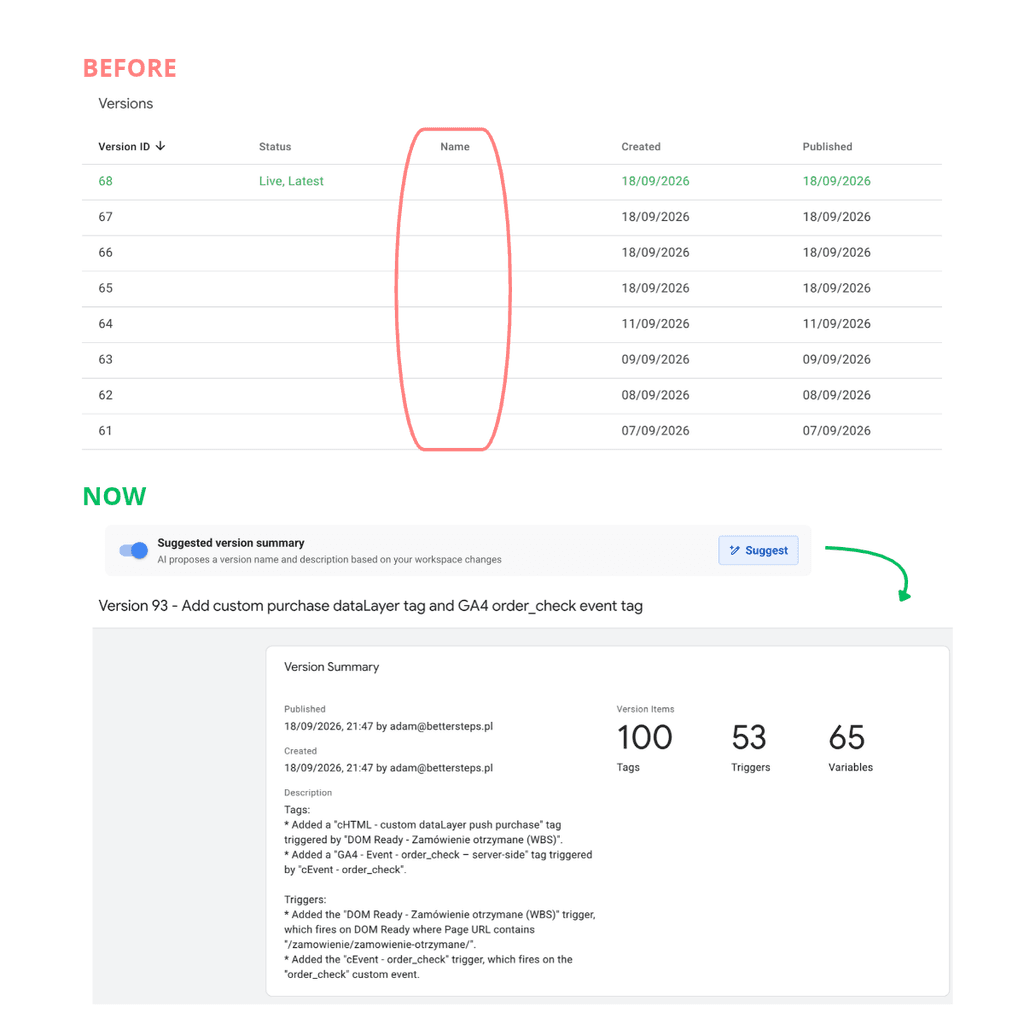
AI generated version naming and summaries
Before you publish, GTM will now generate a name and description for the version for you. It only takes a few seconds, and the descriptions and names are spot on!
A simple but very handy use of AI. I hope it solves the documentation problem in GTM, because I keep running into cases where finding the right change means manually going through a dozen or more configuration changes.
It's a pity you can't backfill older versions the same way.
Google Analytics 4
Dashboards: a new KPI view
Data Studio right inside Google Analytics? That's what the new Dashboards feature looks like.
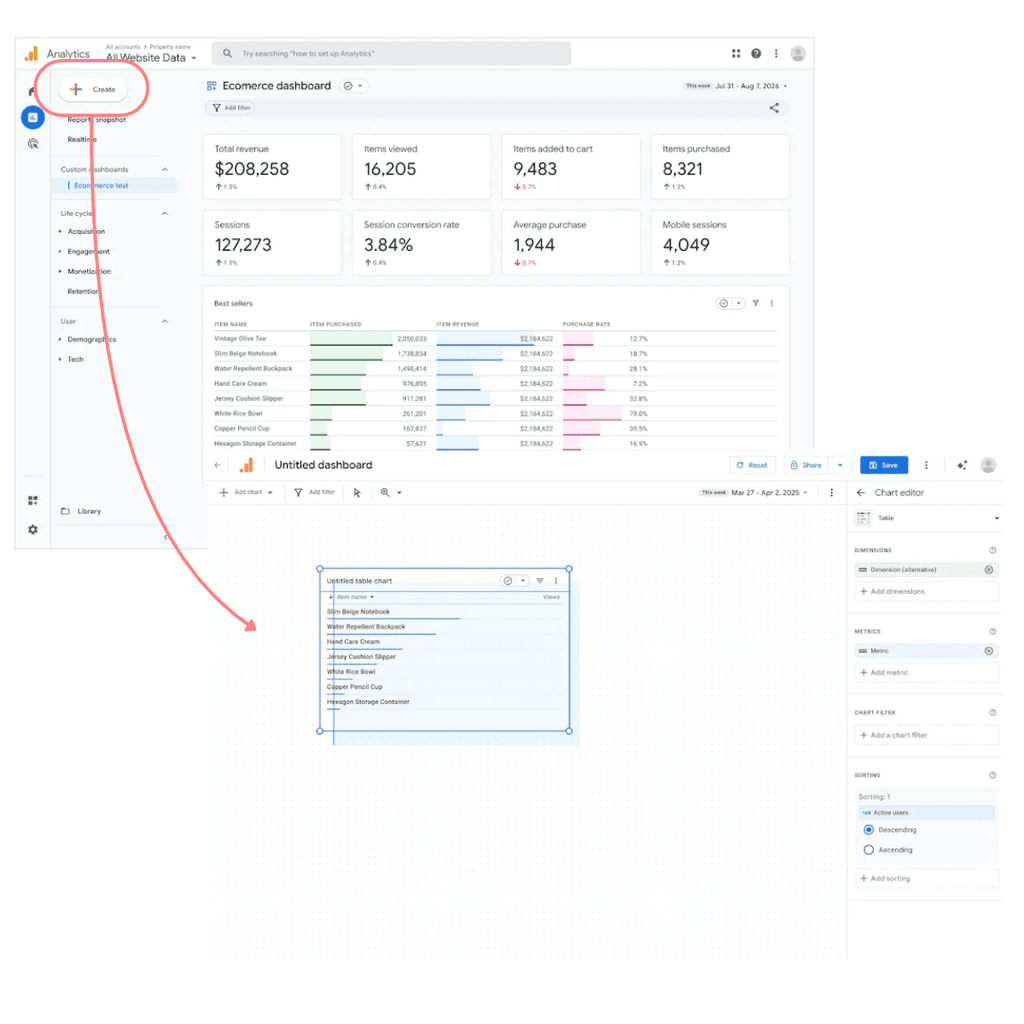
From the reports, you can easily open a builder where, with drag & drop just like in Data Studio, you can quickly put together a dashboard with your own set of cards: charts, tables, conversion funnels. No need to open separate Explorations or go to an external tool.
It sounds like the answer to what was missing between the standard reports and a full Data Studio setup: a lightweight view for clients or store owners.
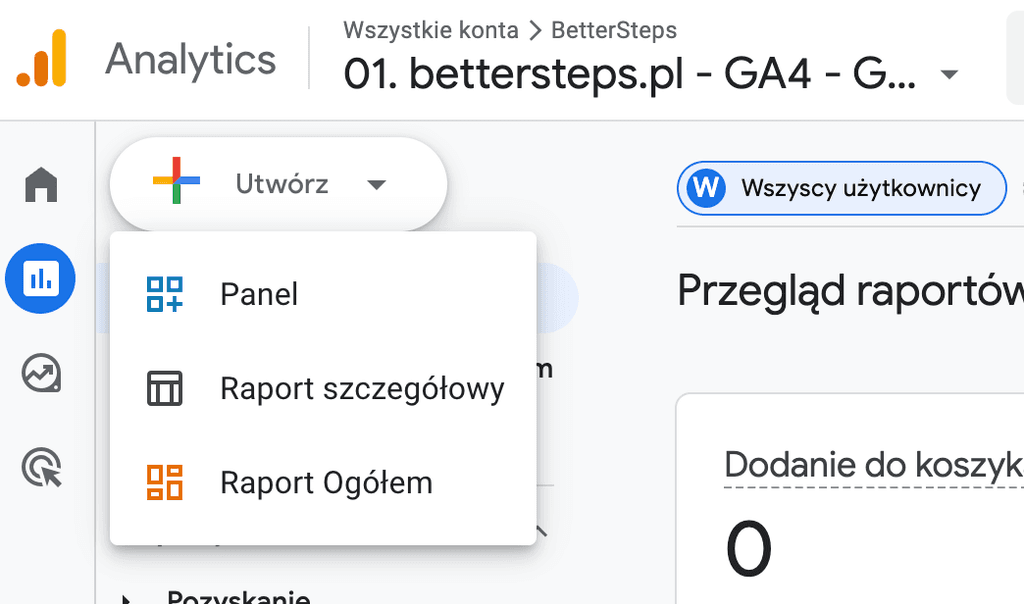
The feature is already available in all accounts. In the reports panel, choose the Create option:
Then, just like in Data Studio, all that's left is to configure your dashboard:
Hostname filters: an allowlist of approved domains
No more spam in your GA4 data: an improved hostname filter.
Ever had traffic from unknown domains suddenly show up in your GA4 reports? Someone copied your tracking code to their site, is testing on a development environment, or is sending ghost spam. The Measurement ID isn't secret, so anyone can use it.
Last month we already got a filter for excluding traffic from unknown domains, but you had to add every new unwanted domain manually.
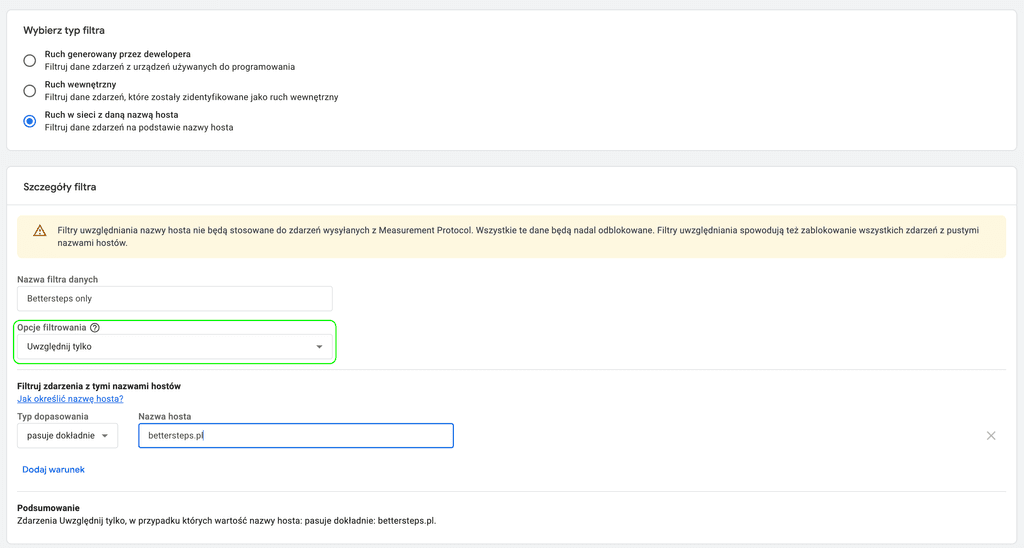
The September release brought an improved filter that now lets you set an allowlist of domains that can send data to your property.
Setup is trivial:
1. Go to Admin -> Data collection and modification -> Data filters -> Create filter
2. Choose the "Web traffic with a specific hostname" type
3. Set the filter operation to "Include only"
4. Enter your domain or domains with the appropriate operator
5. Create the filter in the "Testing" state, and once you've confirmed it works correctly, change it to "Active"
Note: the filter doesn't apply to Measurement Protocol events, and traffic without a hostname will be blocked.
Stape and server-side
Starting with this issue, I'm adding a new section. More and more of my daily work goes beyond client-side GA4 and GTM into server-side and integrations with media platforms: Meta, TikTok, Google. It's usually the first thing I look at when auditing a client with a larger ad budget, so it makes sense to start summarizing it here too.
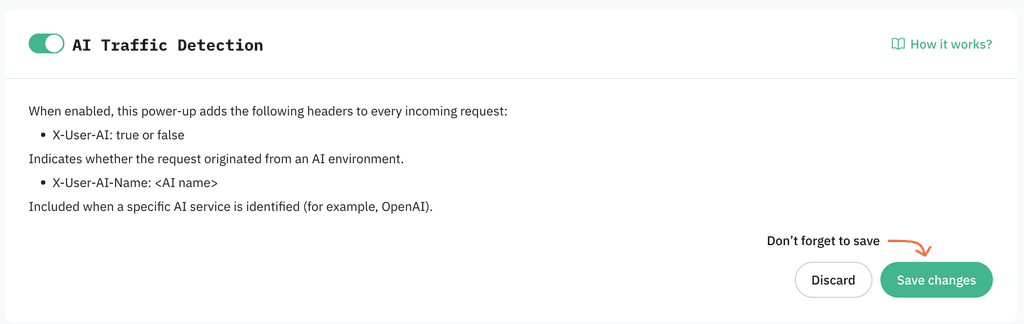
AI Traffic Detection power-up
At the end of September, Stape released a new power-up

It automatically detects traffic generated by AI (ChatGPT, Claude, other LLMs) by adding the headers
- X-User-AI
- X-User-AI-Name
to requests, which lets you segment AI traffic in your analysis:
Importantly, to receive these signals in your analytics system, you still need to configure passing this information in the appropriate parameters,