A few years ago, a standard analytics setup in a tool like Google Analytics captured roughly 85% of the actual data (comparing sales in the CRM with what the tool reported). Today, companies can face much bigger gaps in their reported results. There are various ways to narrow those gaps and send the missing data. In this article I focus on testing a solution from Piwik PRO that collects events without creating any user session or cookie.
Rafał Piszczatowski
Reading time: 10:00
Collecting analytics data without user consent? I'm testing Piwik PRO's solution
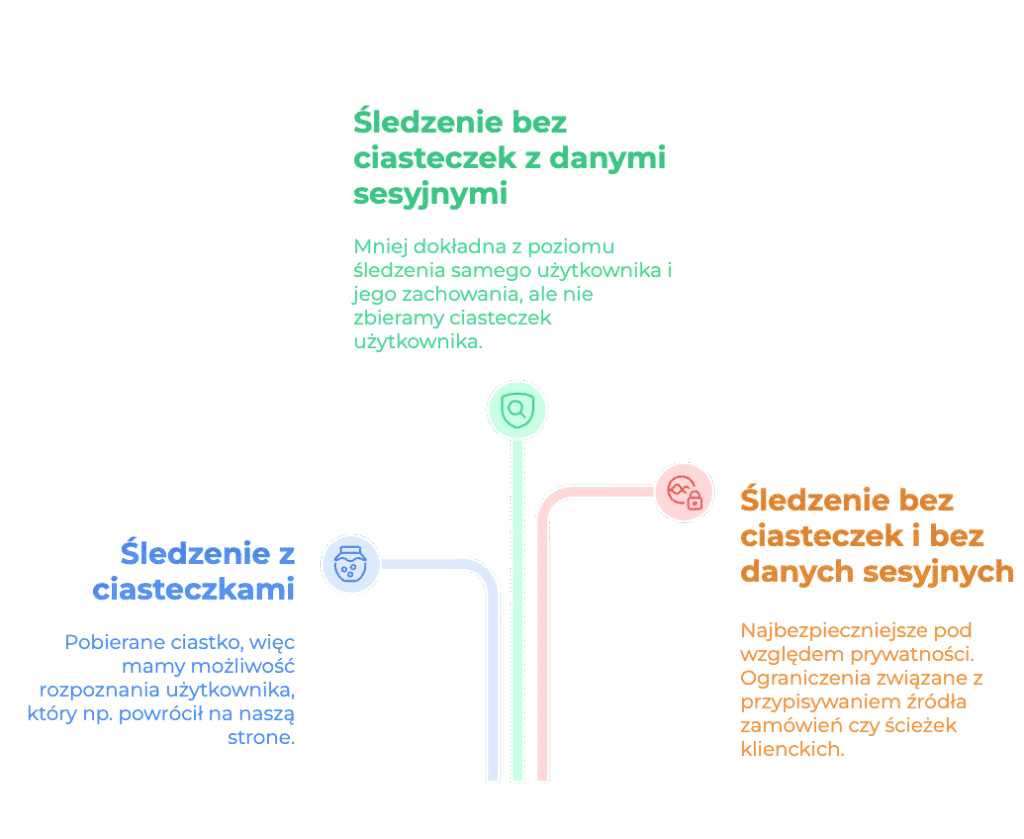
Before we get to the point, let's go over the data collection options this tool offers. It takes a flexible approach to identification, which falls into three main levels:
-full tracking: uses cookies (e.g. _pk_id) and device identifiers. It gives you the full picture of the user journey, returning visits and attribution. It requires full user consent (opt-in).
- anonymous tracking with a session hash: no cookies, but it generates a short-lived session hash (e.g. for 30 minutes) from the anonymized IP address and the User-Agent (browser data). This lets the tool group events into a single visit, but it can't recognize a returning user the next day.
- anonymous tracking (no cookies, no session hash): the subject of this article. Piwik PRO stores nothing in the browser and creates no hash that links events together. To the server, every pageview and every click (ping) is a completely independent, isolated record.
In this article I focus on that last method and explain who can get a lot of useful insight from it. I also compare the Piwik data with what Google Analytics 4 collected, so we can see how big the differences really are and how this data can be used.
Is analytics without consent even possible (the legal side)?
It's worth citing the French supervisory authority CNIL here (one of the strictest in Europe). CNIL has published a list of tools and configurations that are exempt from the consent requirement. Piwik PRO, configured correctly (cookies disabled and full IP anonymization), meets these requirements. CNIL introduced a mechanism called the consent exemption for analytics systems, and Piwik PRO is officially on the list of tools that can use it. This means that analytics in the "no cookies & no session hash" variant relies entirely on the controller's legitimate interest (Art. 6(1)(f) GDPR). That interest is basic statistical analysis of your own website's performance in order to optimize it, which does not infringe users' rights and freedoms. Simply removing cookies from the code isn't enough to sleep soundly, though. According to CNIL guidelines (and Piwik PRO's official documentation), to legally collect data under the cookie banner exemption, your instance has to be configured according to these rules:
- Strictly statistical purpose and no profiling: the collected pings can only be used to measure site traffic (e.g. the number of pageviews, page errors, server performance). You must never use this data to build user profiles, personalize content or run remarketing.
- Data collected only on your own website or app
- No custom parameters that could collect personal data
- No processing of raw data without consent
- Piwik PRO listed as a partner in your privacy policy
You can find more details here: https://help.piwik.pro/support/privacy/how-to-make-your-website-compliant-with-cnil/
What does the tool send without cookies and sessions?
Once we drop cookies and sessions, we stop tracking "users" and start collecting events (pings: single, anonymous signals about an action, such as a pageview or a purchase). What we get is hard volume data for judging how well the site performs and which actions people take on it. As for the "user" themselves, we only get what's available from the browser: device type, model, operating system and so on. Information such as the user's location won't be available.
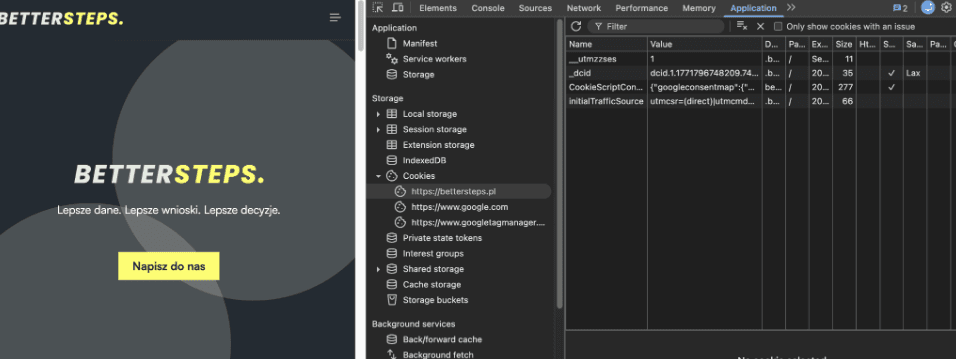
In the browser we can see what our site processes. That lets us confirm that Piwik doesn't set a single cookie, whether or not the user has consented to cookies.
Instead, we get pings named ppms.php in the Network tab, and that's where we can see what the tool collects. In my case, this included scroll50%, which is sent as event_action (e_a) straight to the tool.
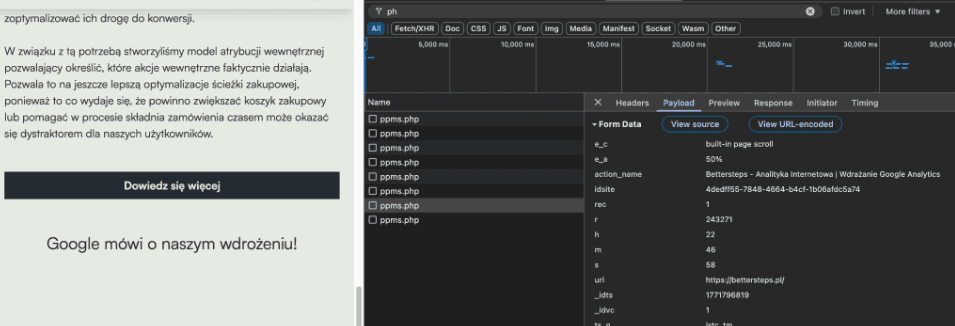
In the standard model, this signal would carry additional identifying information. For example, it has no _id parameter, which in standard data collection is read from the _pk_id cookie set by the tool.
What data do we see in Piwik PRO without sessions and cookies?
What exactly will an analyst, marketer or business owner see after logging in to Piwik PRO once we cut the system off from cookies? Despite the restrictions, Piwik PRO still collects a lot of contextual information for every single ping. The most important items:
- pageview data
- the number of automatically collected events, plus custom events you create for your own needs. You can collect every on-site event you care about.
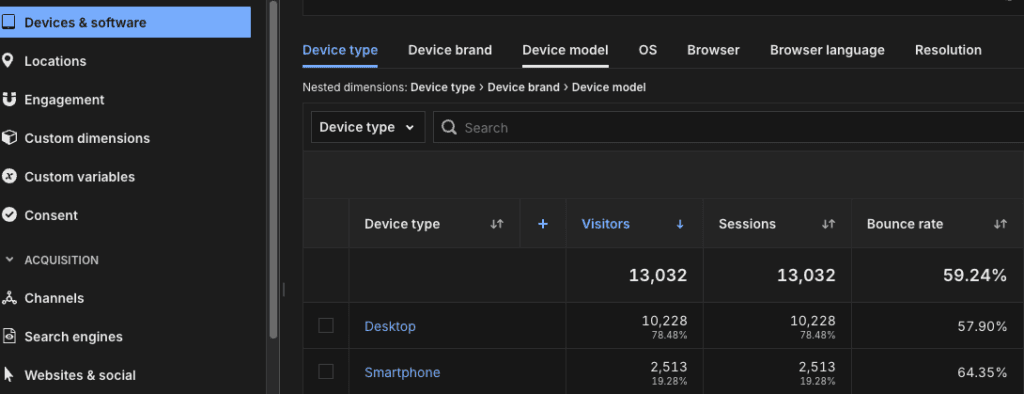
- technology and device data. You'll see how traffic splits across devices (mobile, desktop, tablet), which browsers visitors use (Chrome, Safari) and which operating systems they run (iOS, Android, Windows). This data comes from the User-Agent header, but, importantly, it's only used in aggregate
- traffic sources: keep in mind, though, that this only covers the landing page. This mode doesn't create sessions, so the tool won't capture the wider journey, such as going through checkout, or assign it to the right session. It's worth considering a custom solution here that passes the source as custom parameters. I described similar functionality in the article https://bettersteps.pl/en/blog/ga4-attribution-traffic-source-tracking-script, where I explain how to send traffic source information to cross-check sources against GA4 data and handle specific business scenarios. That solution stores data in sessionStorage, so before implementing it you should definitely get sign-off from your legal team.
What we don't get, and might miss
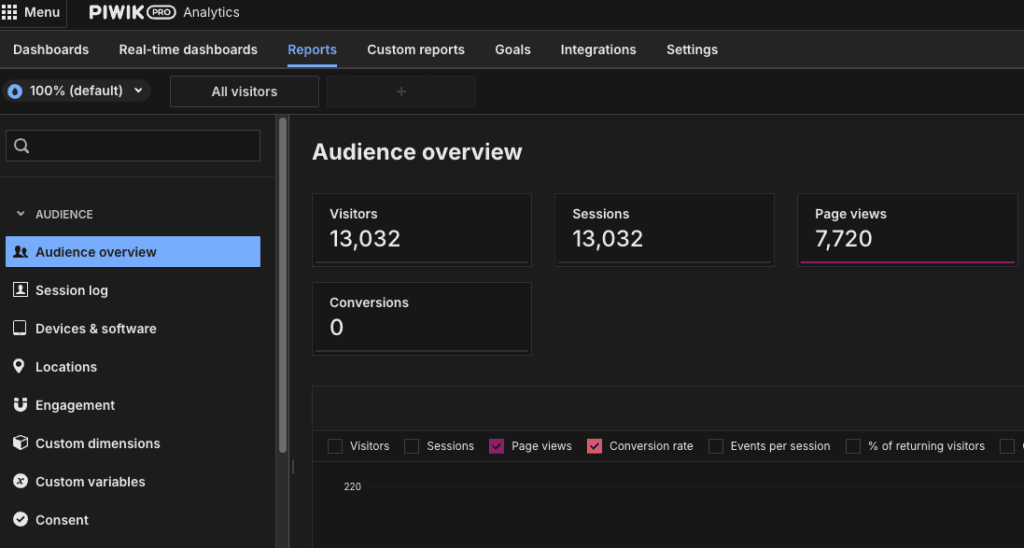
- an accurate count of sessions and users. The tool doesn't create sessions, so every ping generates a "session". That's fairly illogical, because the reports still show these numbers, and it's a pity they're displayed at all. They can mislead people who don't know how the data is collected, so the organization needs to communicate this clearly. The tool supports annotations, and I recommend adding them as a reminder if a wider group has access.
- no way to build paths and funnels for the checkout process or for movement between pages.
- bounce rate. The reports will show a bounce rate of 100%, for the same reason as above: every "session" ends with an artificial exit after a single pageview.
Piwik PRO vs Google Analytics 4: collecting data without consent
When a user rejects cookies, GA4 (with Consent Mode v2 implemented) also sends so-called cookieless pings (requests with the gcs=G100 parameter). You can read more about Consent Mode v2 in our other articles: https://bettersteps.pl/en/blog/ga4-with-vs-without-google-consent-mode and https://bettersteps.pl/en/blog/google-consent-mode-v2-practical-guide. How do the two tools approach this?
The Google Analytics 4 approach (behavioral modeling):
GA4 collects these empty pings, but by default it doesn't show them in standard reports. Google takes the view that sessionless data breaks the structure of the reports. Instead, GA4 feeds them into the "black box" of its AI algorithms and tries to model the traffic.
- The catch (eligibility threshold): for modeling to work, your property has to collect at least 1,000 events per day from users who granted consent for at least 7 days, and have at least 1,000 users per day who decline consent.
- No modeling: if you don't meet these thresholds (and most small businesses don't), this data simply disappears from the main GA4 reports.
The Piwik PRO approach
Piwik PRO doesn't use data modeling. If the server receives 500 pings from users who declined consent, each reporting a homepage view, Piwik adds 500 pageviews to the report.
| Feature | Piwik PRO (No cookies & no hash) | GA4 (analytics cookies not accepted) |
| Approach to data | All events collected regardless of consent | Data modeled when consent is missing |
| Visibility of events without consent | Immediate, all of them go into the stats | Visible only if the algorithm models them |
| Data threshold | None (works from the first event) | Medium/high (thousands of events per day needed for AI) |
Event counts in Piwik PRO vs GA4
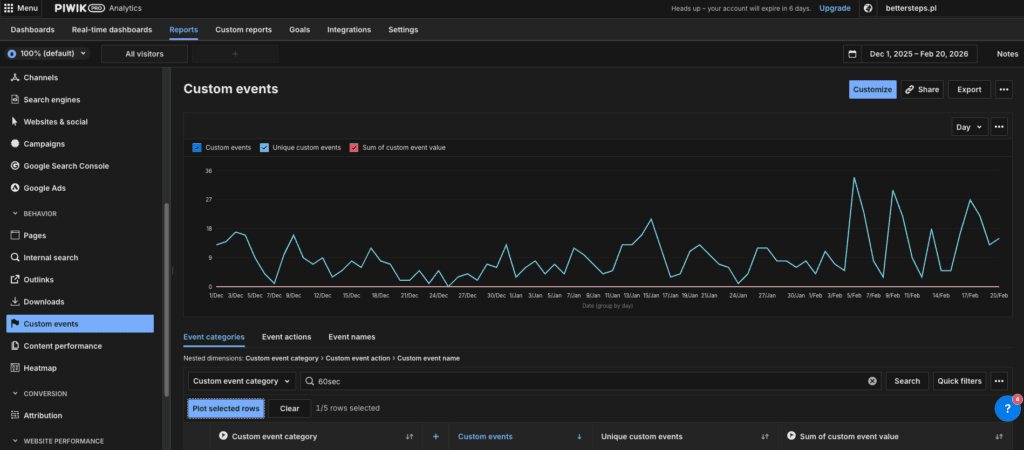
I set up GA4 and Piwik to send the same event: one minute spent on the site. I wrote a script that fires the event and also stores it in session_storage, so no further events are generated when someone stays for another minute. The idea is to separate engaged traffic from empty traffic. By the way, it's a really handy event for quickly evaluating marketing efforts, especially on sites where the main goal isn't obvious.
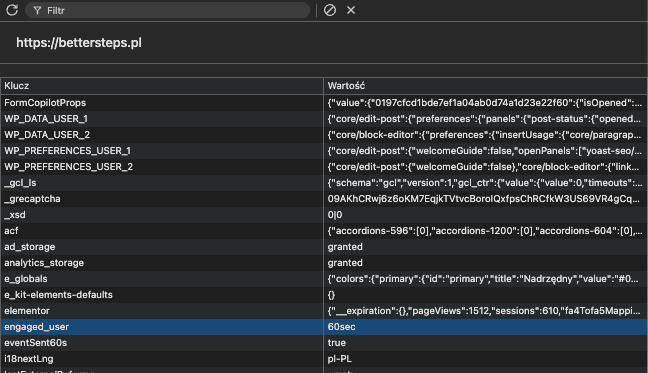
Piwik PRO collected 763 of these events. Over the same period, GA4 reported 528. That's a difference of as much as 44%. Why such a gap? The main reason is that GA4 has no data on users who don't consent to cookies. This particular property has no modeled data in GA4, because the data sample is too small for GA4 to generate it.
Who is this solution for?
In principle, anyone who wants to capture more events. I'd single out three groups:
- Small and medium-sized businesses that added GDPR consent banners, saw their GA4 traffic drop by half because of rejections, and whose data sample is too small for GA4 to turn on behavioral modeling. Piwik PRO lets them get back visibility into basic stats (how many pageviews there were, how many times someone clicked the phone number).
- Companies that don't want any analytics cookies set at all, because of their policy or business needs.
- Larger companies that can't use modeled data, struggle with large data discrepancies in their current tool, and want a stable data benchmark regardless of legal changes or changes to the cookie banner design.
Drawbacks and limitations
- No attribution at all (with minor exceptions). In standard analytics you know that a user first came from a Facebook ad (first click), then returned via SEO, and finally bought after clicking through from an email (last click). Here, attribution basically doesn't exist. Remember that every page reload is a "new ghost" to the server. If the landing URL had UTM parameters (e.g. from a Google Ads campaign), Piwik PRO records them only on that one pageview (last click at the level of a single request). If the user moves to another page of the store and makes a purchase, that purchase is counted as direct traffic, because the UTM information from the first page wasn't passed on anywhere.
- Everyone is a "new user". The returning visitors metric drops to zero. Every ping is treated as a completely new interaction. You can't tell whether 100 different people read an article or one person refreshed the page 100 times.
- An interface that talks about sessions and users: this can mislead people in the organization who don't know how the data is measured. Piwik's solution is good enough that it deserves some extra development here, such as the ability to adjust the available reports so the end user can trust that what they see is accurate. As an alternative, we can build our own reports and dashboard, which, combined with clear guidance on how to use the reports, will certainly help.
Summary
I really like the approach Piwik PRO offers. At a time when consent rejection rates with strict cookie banners can reach 50%, and we can't rely on GA4's behavioral modeling (e.g. because our traffic sample is too small), it's a refreshing take on analytics. The focus here is strictly on collecting events. True, this model doesn't show the full process and behavior path of an individual user, but in return we get the full scale of these interactions, based on 100% real, hard data.
Can this approach completely replace Google? For many companies, GA4 is more than an event measurement tool: it's part of an advertising ecosystem tied to the Google environment, so the answer is no. It is, however, an excellent, even strategic, complement. It gives you an independent check on events collected in other tools and lets you base your business on numbers that stay stable over time and won't collapse overnight, for example after a cookie banner redesign.