Adam Brzostek
Reading time: 6:00
Analytics news: January 2026
Google hasn't spoiled us with updates lately, but in January it released a big batch of new features. As is typical for Google, they're all in beta and almost nowhere to be found. After a first look, I suspect few people will be determined enough to use them, at least in their current form.
I'd go further: instead of improving anything, these updates just add confusion. Still, for the record, here's the roundup.
New Conversions section (Beta)
A new Conversions section has appeared under Advertising in GA4. That alone raises serious questions. How are conversions different from key events (which used to be called conversions)? The problem is that nobody really knows, or why anyone needs this when it further lowers the already low trust in GA4 data.
In short, conversions are metrics imported from ad platforms such as Google Ads.
But of course, if you compare the key events report with the conversions report, you'll see completely different numbers, even when you filter down to a single conversion.
Key event performance - add_to_cart:

Conversion performance - add_to_cart from GA4:

The numbers are close, but where's the logic in that? And keep in mind this is data from the GA4 demo account
As if that weren't enough, you can also import data from platforms outside the Google ecosystem, such as Meta. But why would you? You'd expect Google to then show some abstract, double-counted number.
Not at all, because it still trusts what's in GA4. For example, if I import 100 purchase conversions from Meta and GA4 attributes only 45 purchase key events to that channel, 45 is the number you'll see.
For now it doesn't make much sense, and all these algorithms are a complete black box.
Maybe I'll be able to say more about it in a while. For now, I'm sharing it mostly as a curiosity.
Cross-channel budgeting (Beta)
Since January 16, GA4 has a new budget planning module. Another beta. The tool lets you use:
- Projection plans – real-time monitoring of whether your spend across channels (not just Google) will hit your target KPIs.
- Scenario plans – simulating different spend levels and checking how they affect projected ROI.
So it's a bit of everything: some modeling, some AI and some plain statistics.
You'll find the feature in the Advertising section, under Planning.
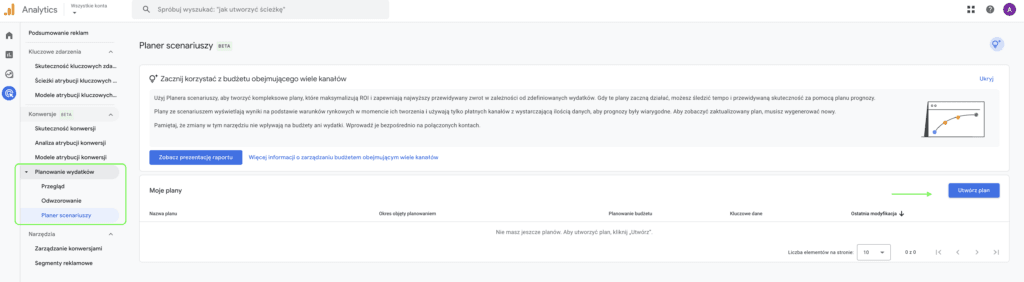
There, choose Projections if you're interested in projection plans, or Scenario planner if you want to see scenario plans
Unfortunately, it's still a very early beta and I haven't found it in any of the production properties I have access to, but you can try it out in the demo account
So what exactly does the data show?
Projection plans essentially show a forecast of how well you'll hit your goal with your current budget, assuming it behaves linearly:
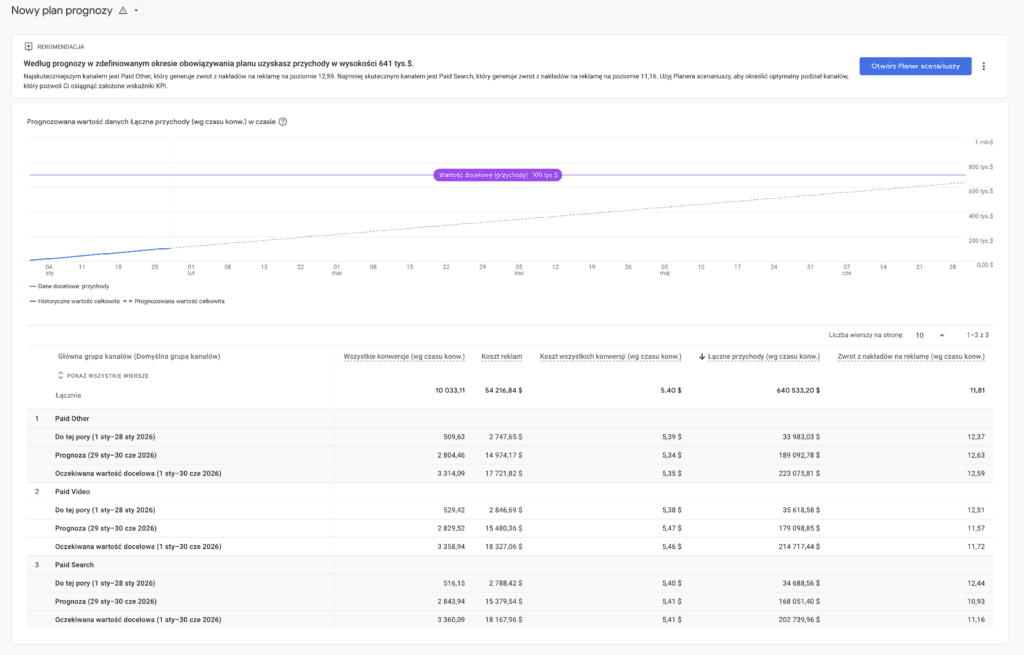
For now I see this as more of a curiosity. Scenario planning looks far more interesting.
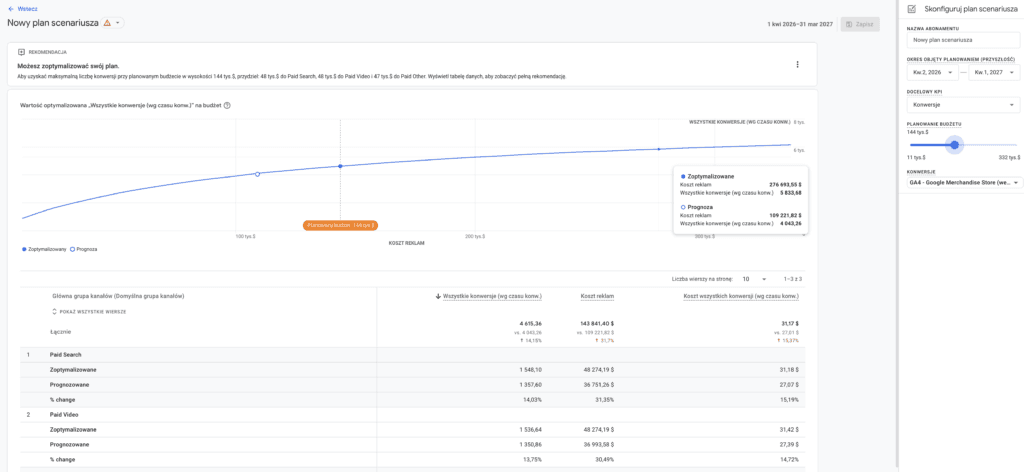
With this feature you can simulate how increasing your total budget will affect conversions
At this point I was still thinking "Wow", but the cold shower came quickly.
To use these features, your property has to meet certain requirements, and there are a lot of them, if the calculations are to make any sense
- You need to link a Google Ads account (that part is easy)
- You need to import conversion and cost data from at least two different channels. I wrote last year about how limited, almost unusable in my view, cost import is: https://bettersteps.pl/en/blog/import-ad-costs-ga4-meta-tiktok-pinterest . And I've given my opinion on conversions above.
- Conversion and cost data must have at least 1 year of history
The idea behind the feature is interesting, but given the very high barrier to entry, I suspect very few people will ever use it.
Not to mention how much I can trust this data when I don't know how it's processed
Google Tag Manager
Google Tag Gateway via Google Cloud Platform (Beta) and Akamai
Not enough betas yet? The only concrete release this month (January 5) brought a new way to deploy Google Tag Gateway. We already had a native Cloudflare integration, and soon we'll be able to do it through GCP.
Put simply, it should let you set up the gateway in a few clicks directly in your own Google Cloud Platform project (using a Global External Application Load Balancer).
As a result, both the gtm.js and gtag.js scripts will load from your subdomain (first-party), which makes tracking more resilient to ad blockers and extends cookie lifetime in Safari.
You won't get a same-origin option, and it isn't full server-side tracking, but for simple use cases a simple setup should be enough.
Unfortunately, that's all we know for now. We got nothing beyond the release note. There's no implementation guide, and I haven't found the option in any container.
At the end of the month, however, Google announced the option to set up the gateway through Akamai, and that one is easy to find in the interface.
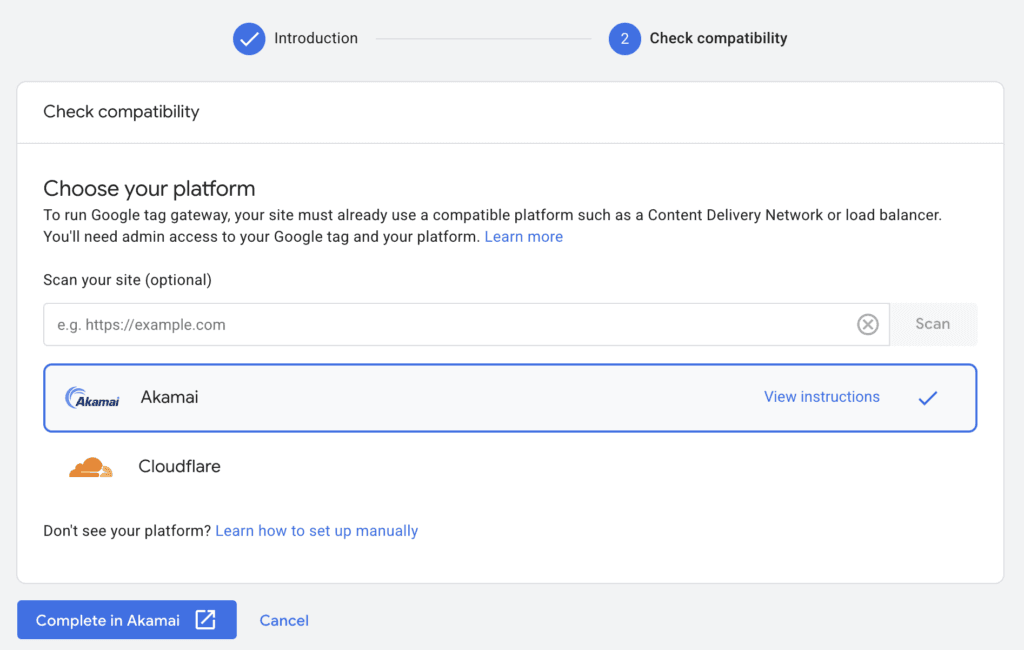
I haven't yet come across anyone who uses this provider as their CDN, so I can't judge the user experience of this integration.
Still, these moves suggest Google is committed to this direction, and I hope we'll see a wider range of integrations soon. I'm especially waiting for Amazon CloudFront
Looker Studio
Mid-month brought three features that genuinely make working with reports easier and, unlike the GA4 and GTM updates, aren't in beta:
Hiding components: The option to selectively hide charts or tables from specific groups of viewers.
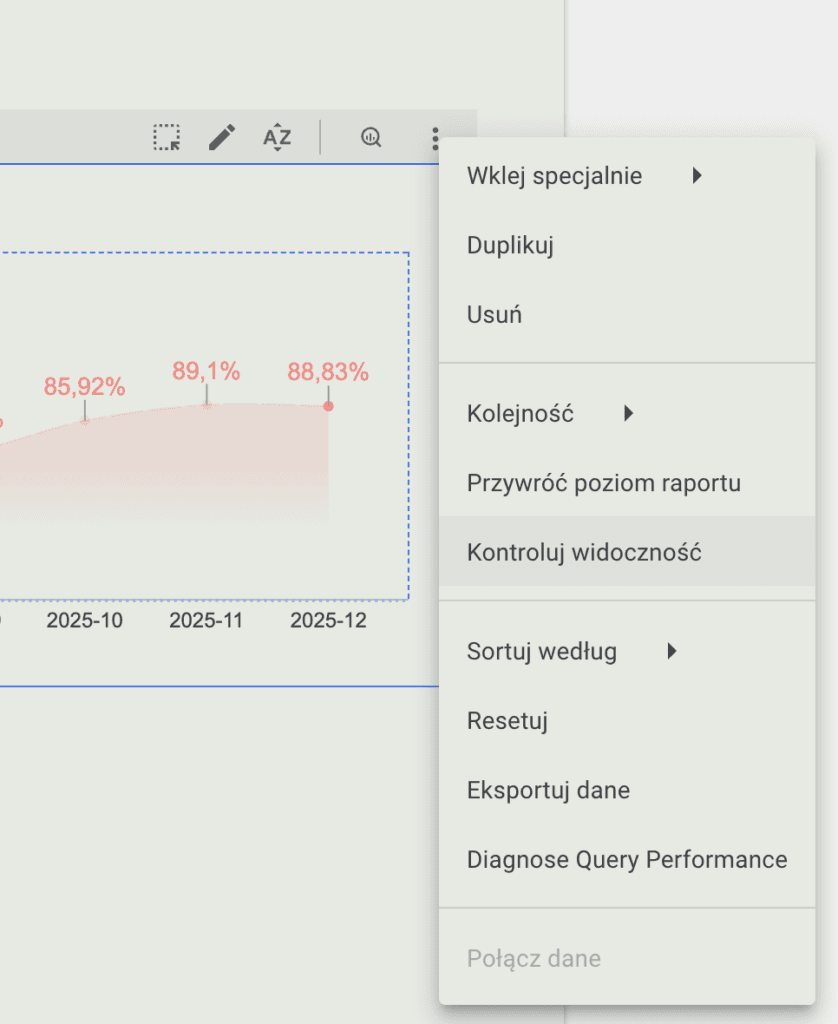
Unfortunately, for now it's only available to Looker Studio Pro users.
Cross data source filtering: You can now override default field IDs, so a single filter can control charts that use different data sources.
It works quite simply. Under Resource -> Manage field names and IDs, I set an ID for the selected field, for example:
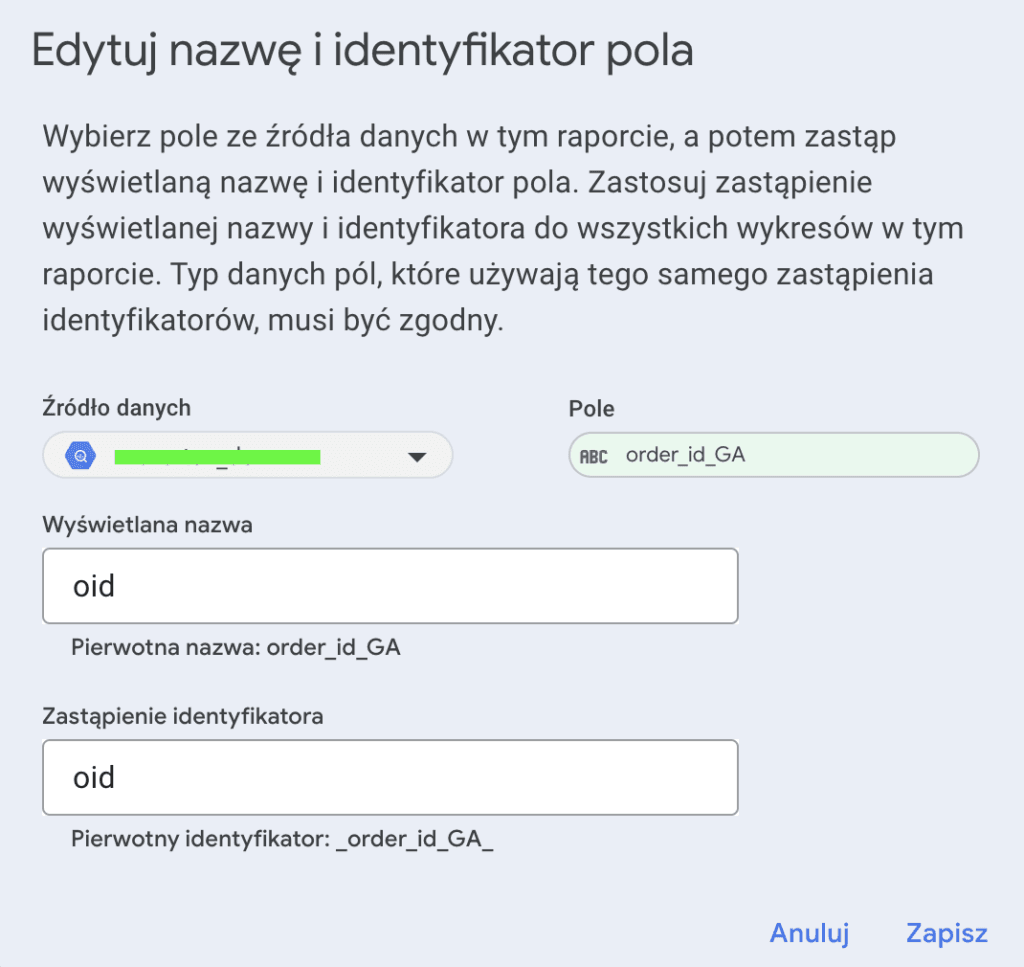
I'll use the same filter for all fields with this ID, even if they come from different data sources
Histograms: A new native chart type for visualizing data distribution.
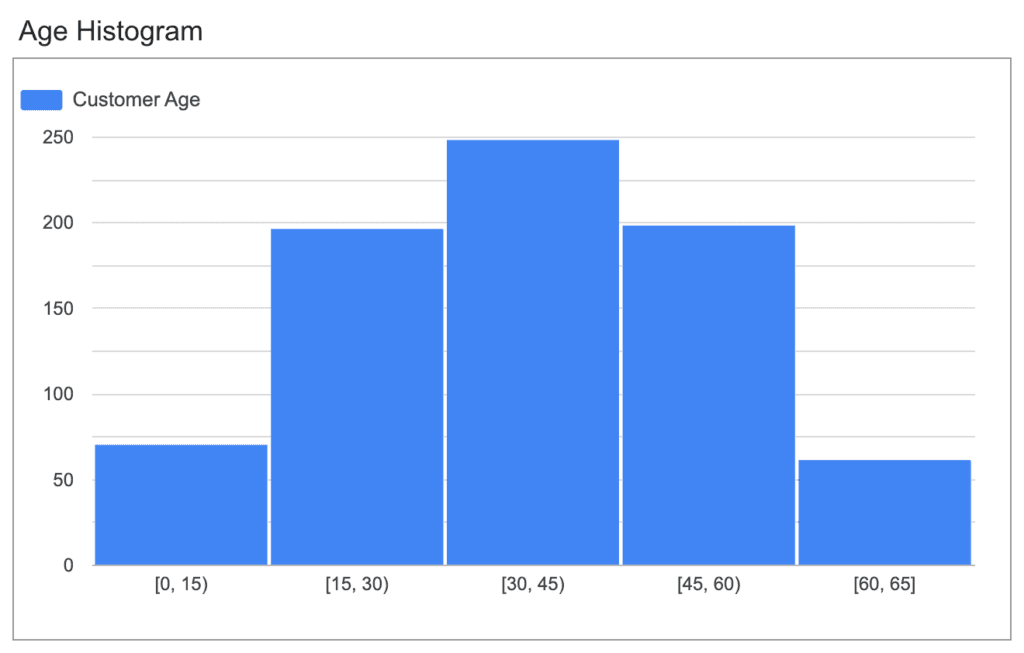
Unfortunately, I haven't managed to configure it correctly yet