Rafał Piszczatowski
Reading time: 9:00
Piwik PRO vs Google Analytics 4
Piwik PRO is an advanced analytics platform. It grew out of Piwik (now Matomo), an open-source project started in 2007. Piwik PRO and Matomo (formerly Piwik) share the same roots, but they differ in many ways, especially in features, intended use and user support:
- Matomo is a free, open-source tool with optional paid plugins and support.
- Piwik PRO has a free plan and a paid plan, with extra premium features such as hosting on dedicated servers and direct customer support.
Piwik PRO products
Piwik PRO didn't stop at an analytics tool for measuring and analyzing traffic on websites and apps. Its suite also includes these built-in solutions:
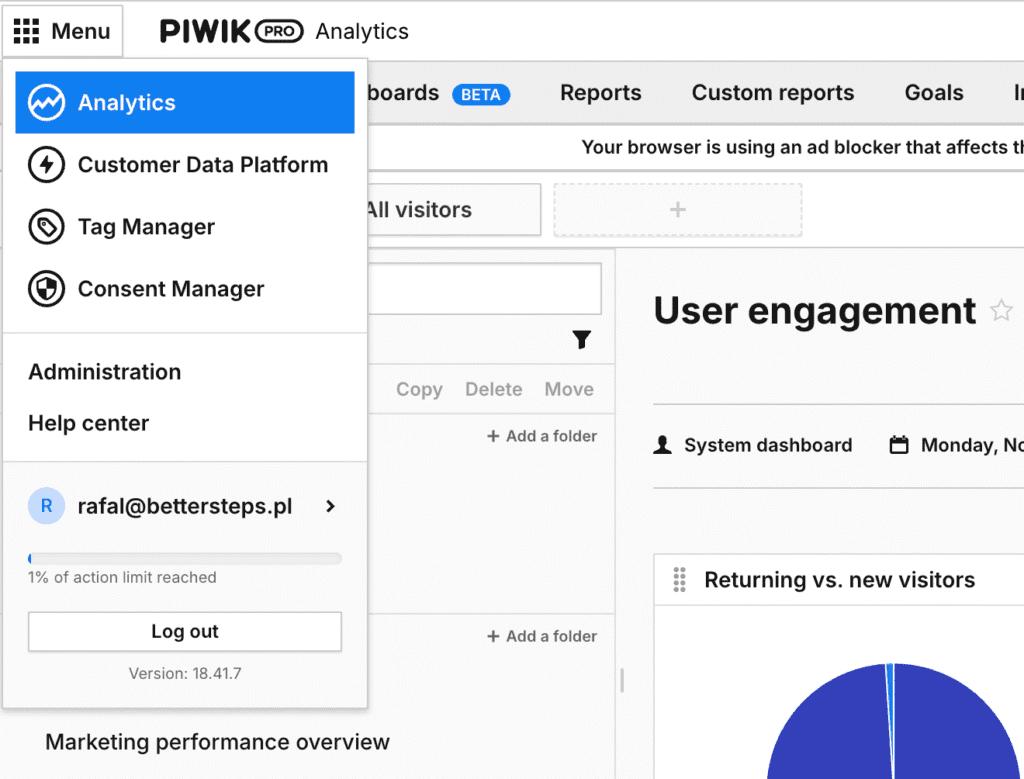
Tag Manager
The built-in Tag Manager lets you deploy, test and manage marketing tags quickly without involving your IT team. That makes it easier to integrate with other tools and collect data flexibly.
Consent Manager: consent management
Consent Manager is a tool for managing users' consent to data processing. It helps organizations meet the requirements of GDPR, CCPA and other privacy regulations, and lets you collect, store and manage consents in one place
Customer Data Platform
A Customer Data Platform is a system that lets organizations collect, integrate and actively use customer data from many sources, building complete, unified user profiles. This helps companies understand their audiences better, personalize communication and run more effective marketing. Piwik PRO CDP can combine data from many systems, including CRMs, e-commerce platforms, data warehouses, and analytics and marketing tools.
Advantages of Piwik PRO
Full control over your data: your own infrastructure or a private cloud
One of Piwik PRO's biggest advantages is that you choose where your data is stored: on your own infrastructure, in a private cloud or in a public cloud. With that choice, the organization keeps full ownership and control of all its data, and none of it is shared with third parties.
A built-in cookie banner
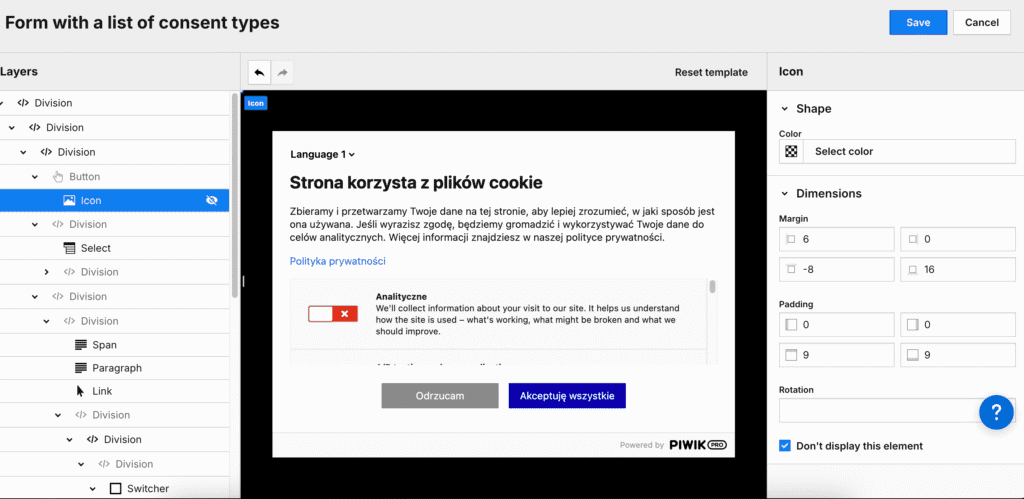
An interesting feature is the option to use the built-in cookie banner. You can turn it on in the settings, which means it runs on the same script you already install when deploying the analytics tool. Of course, you don't have to use the cookie banner if your site already has another solution. It doesn't have as many features as some of the solutions on the market, but depending on their needs, many companies will find it good enough to correctly respect users' decisions about their cookies.
No profiling or use of data by third parties
According to the information on Piwik PRO's website, it doesn't use user data for its own marketing or analytics purposes. It's hard for me to say anything definite about this point, but Piwik is certainly not as extensive a system as, say, Google. If your goal is to limit third parties' access to your users' cookies as much as possible, this may be a deciding factor when choosing an analytics tool.
Tracking methods in Piwik PRO
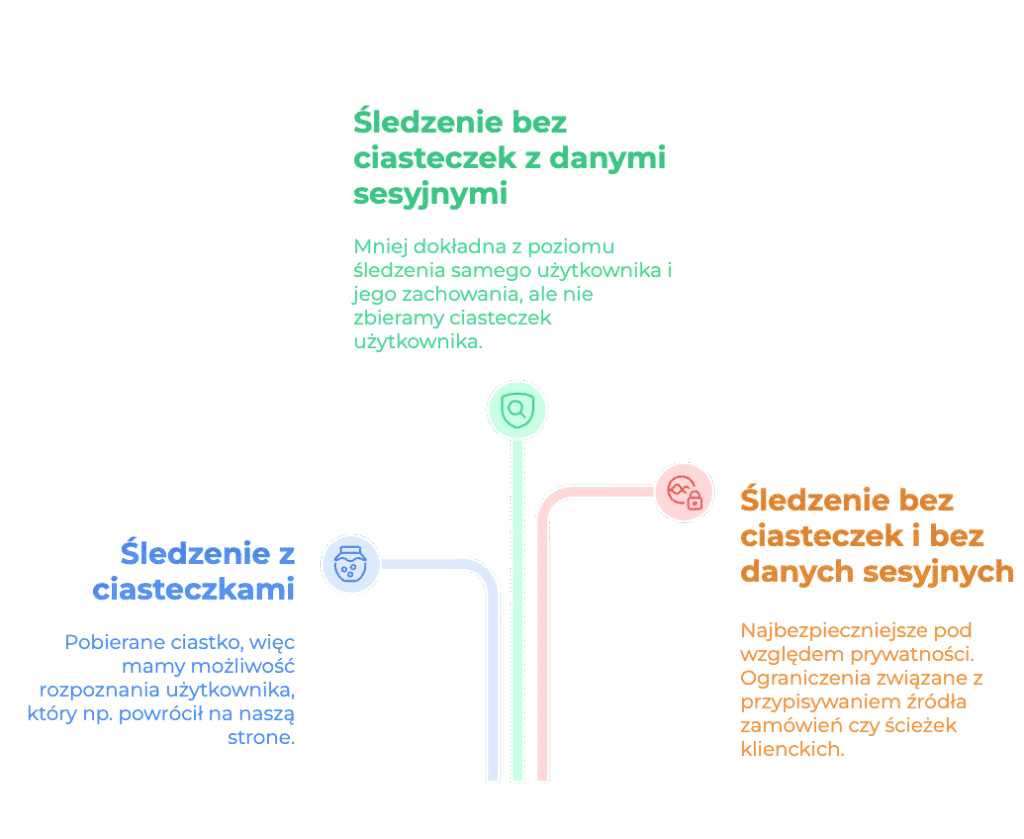
Piwik PRO offers several tracking methods:
- Anonymous tracking with cookies and session data
- Uses a session cookie (valid for 30 minutes) to group events into a single session.
- Can recognize users and build their paths
- Anonymous tracking without cookies, but with session data
- The session ID is created as a "session hash", without storing cookies.
- Less accurate (sessions of different users may get merged), but compliant with strict regulations (e.g. TTDSG/TDDDG in Germany).
- Anonymous tracking without cookies or session data
- Individual sessions or users can't be identified.
- Doesn't collect data on time on page, user paths or channel attribution.
How much does Piwik PRO cost?
Piwik PRO has two main pricing plans, which differ in features, action limits and support.
Core plan: the free package
The basic, free Piwik PRO plan includes four modules: Analytics, Tag Manager, Consent Manager and Customer Data Platform (a limited version). On this plan you can analyze up to 500,000 actions (e.g. page views, events) per month. Data is retained for 14 months and hosted on Microsoft Azure in Germany. Users on this plan get community support (community forum) and can use the platform on up to 10 websites or apps.
If you need more, you can buy a higher action limit (up to 5 million per month) and extend data retention to 25 months with an extended version of the Core plan.
Enterprise plan: for large companies
The paid Enterprise plan is aimed at organizations with bigger needs. It handles anywhere from 2 million to 4 billion actions per month. All four modules are included, with the full version of the Customer Data Platform. Data can be retained for at least 25 months, and you can choose where it's hosted: a public cloud, a private cloud or on-premises infrastructure, including data centers in the EU. The price includes dedicated technical support, implementation help, training and a personal account manager. Enterprise pricing is set individually and starts at €10,995 per year.
Additional information
- The Core plan lets you activate up to 1,000 user profiles per month
- Both plans give you full access to raw data via the API.
- The paid plan allows unlimited websites and apps and adds advanced integrations and features such as single sign-on (SSO) and access to Piwik PRO Academy courses
- If you need a higher action limit or longer data retention on the Core plan, you can buy add-on packages. For example, 600,000 actions per month costs €72 per month or €780 per year (paid upfront).
Installing Piwik PRO on your website, step by step
Installing Piwik PRO is simple and similar to deploying Google Analytics, although it gives you extra options for managing privacy and user consent.
1. Create an account and add your site
The first step is to create an account on the Piwik PRO platform, usually on the free Core plan. In the sign-up form you enter your website address and an account name. Once the account is created, you're taken to the admin panel, where you can start the configuration.
In the panel, add a new site or app and set its basic parameters, such as name, time zone and currency.
2. Get and install the tracking code
Just like Google Analytics, Piwik PRO needs a JavaScript snippet on your site to collect user data. You can get the code from the admin panel.
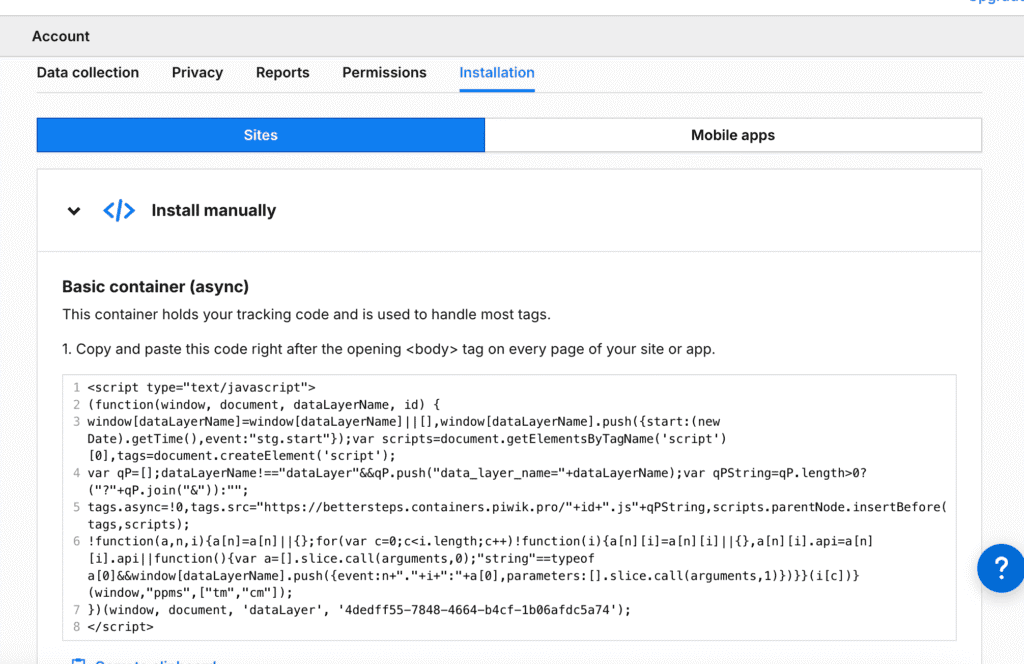
The platform supports several installation methods:
- Manual installation – copy the generated JavaScript code and paste it directly on every page of the site
- Installation via Google Tag Manager – if you already use GTM, you can add a Piwik PRO tag there.
- Dedicated integrations – e.g. plugins for WordPress or frameworks such as React.
After adding the code to your site, check that it's installed correctly with the built-in debugger in the Piwik PRO panel. If you see activity in the debugger, the installation worked.
3. Configure Consent Manager
Piwik PRO automatically activates Consent Manager, a tool for managing users' consent to the processing of personal data and cookies. If the banner option is turned on, a banner about the privacy and cookie policy will appear on your site. Keep this in mind if you use a different solution, so you don't end up with two cookie banners on the site.
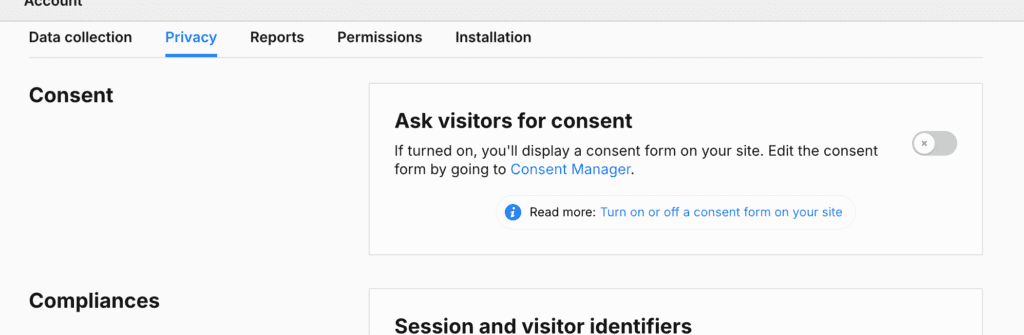
You can customize Consent Manager, for example by changing the message language, the banner design or the scope of consents collected. If you use another consent management tool, you can turn Consent Manager off in the admin panel.
4. Use Tag Manager
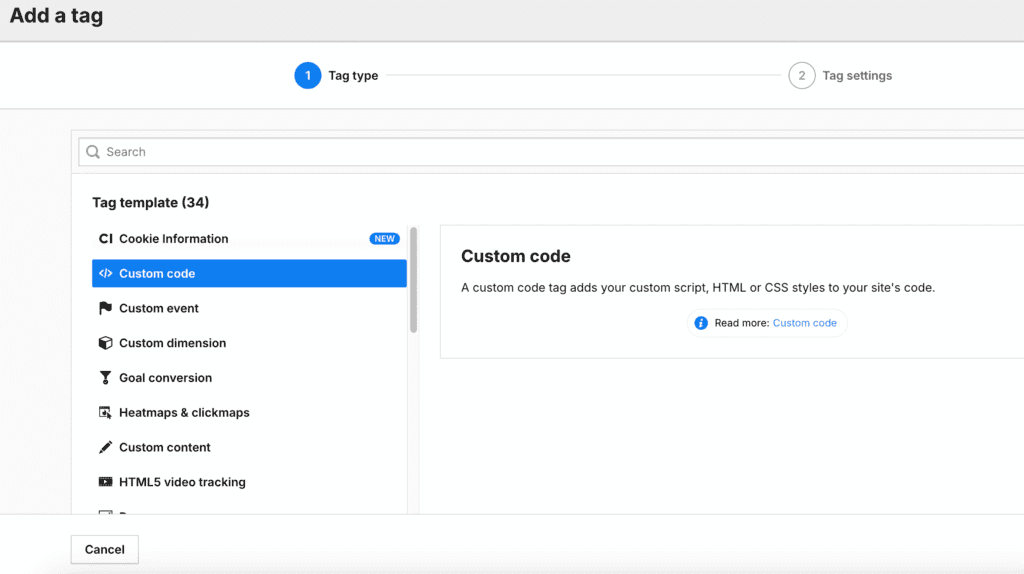
When you install Piwik PRO, you also get access to the built-in Tag Manager, which lets you manage marketing and analytics tags without touching the site's code. Like Consent Manager, Tag Manager already works as soon as the main script is on the page.
Piwik PRO vs Google Analytics 4
| Feature | Piwik PRO | Google Analytics 4 |
|---|---|---|
| User tracking | Yes | Yes |
| Cookie Management | Yes (built in) | No (third-party solutions) |
| Data hosting | Own servers possible | Google Cloud |
| Google Ads integration | Yes | Yes |
| API | Yes | Yes |
| Integrations | Extensive | Extensive |
| Collecting data without setting a cookie | Possible for all traffic | Partial (for modeled data) |
| Data sampling | None | May occur |
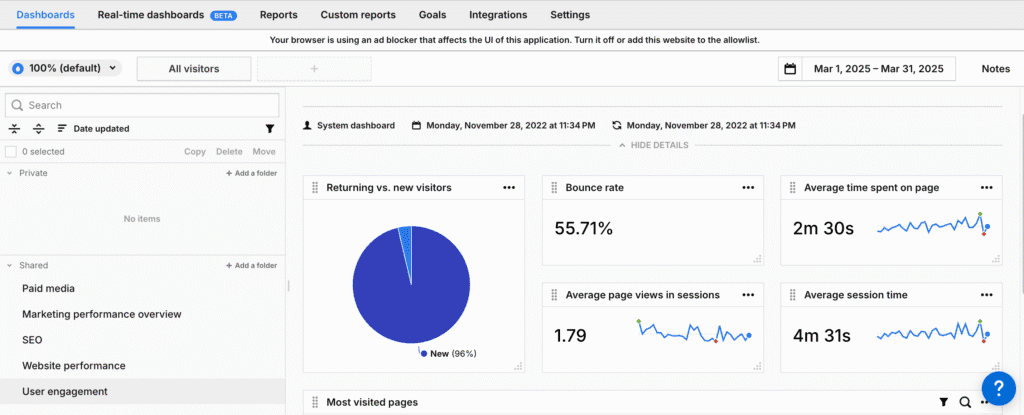
Piwik PRO vs GA4 data
For this comparison I tracked data differently in each tool. In Piwik PRO I used the option to track events without sending any session or user cookie parameters. In this test I wanted to collect information about the events themselves, to get as close as possible to what actually happens on the site. Counting this way is handy when all you care about is volume. However, you can't analyze user paths or attribute a transaction to the traffic source that drove it.
In GA4, a session is created when the user accepts analytics cookies in the cookie banner. The account I analyzed doesn't have enough data for modeling, so the Google Analytics interface only shows data for cookies where consent was given. If you're wondering what modeled data is and how it works in Google Analytics 4, see our earlier articles: https://bettersteps.pl/en/blog/google-consent-mode-data-bigquery and https://bettersteps.pl/en/blog/ga4-with-vs-without-google-consent-mode).
| Dimension | GA4 | Piwik PRO | Difference |
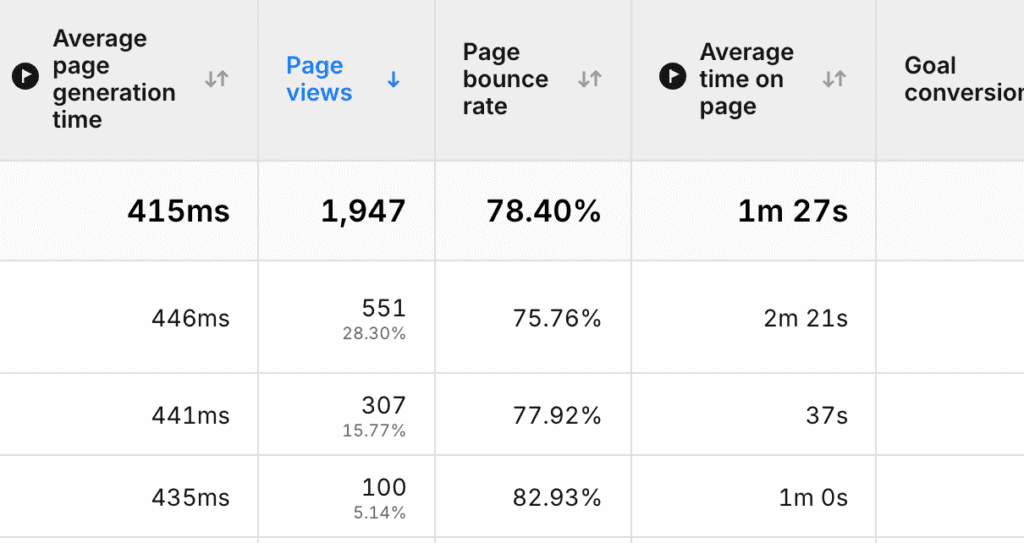
| Page views | 1719 | 1947 | 12% |
The difference in page views is significant. Several factors contribute to it: how the tools are implemented (I added Piwik PRO directly to the site code, outside GTM) and the cookie tracking option I chose (I collect all events, but without setting a cookie or a session).
If you want to test and compare two tools on your own site, a good approach is to run both at the same time. You'll understand how they differ, you can compare individual sections (pages visited, traffic sources), and you'll build up historical data collected the same way that you can refer back to.
Piwik PRO brings back memories
This is a very subjective take, of course, but using Piwik PRO feels like going back to Universal Analytics. Many users may be glad to hear that, especially those who still haven't gotten used to the GA4 interface and miss the Universal days. As a bit of trivia, and with some nostalgia, Piwik PRO has a metric that tells you how fast a page loaded. There are more differences and similarities with Universal Analytics and GA4, of course, but this one stuck with me because it was available in Universal and was dropped in GA4.
Sources: