Adam Brzostek
Reading time: 3:00
Analytics news: September 2024
Session-level traffic sources now available in the GA4 BigQuery export
Google has finally fixed something that should have been a fundamental part of the GA4 data export to BigQuery from the start. In theory, analyzing traffic source data should now be simpler, because the data should match what you see in the GA4 interface.
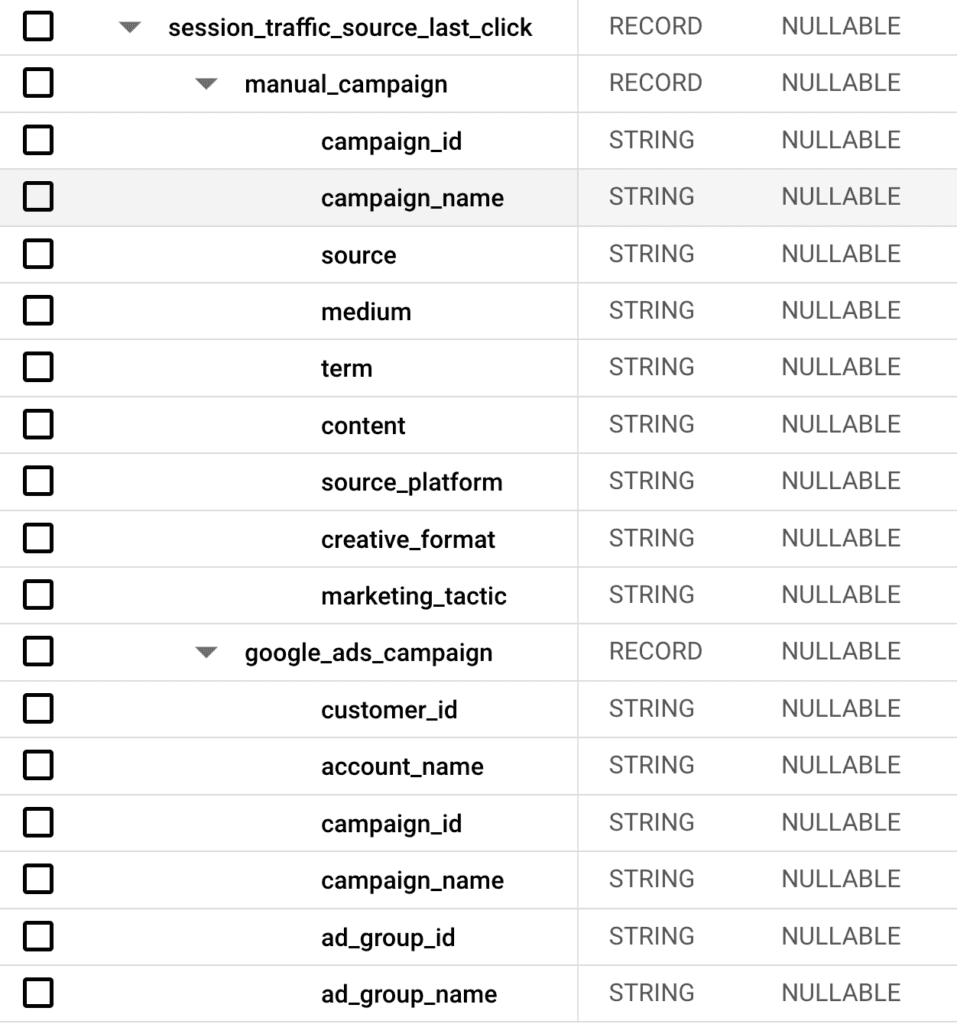
The data was added in a column called session_traffic_source_last_click, which contains nested columns describing the traffic source parameters in detail. For clarity, they're split into manually set parameters and the ones that have caused the most trouble so far: the automatically added parameters describing Google Ads campaigns
I think this is finally a good, useful change in GA4. I'll write a dedicated article on how useful it actually is soon.
Better data visualization in standard reports
In standard reports, you can now choose which dimension values are plotted on the chart. It's very simple: you just check or uncheck the relevant checkboxes.
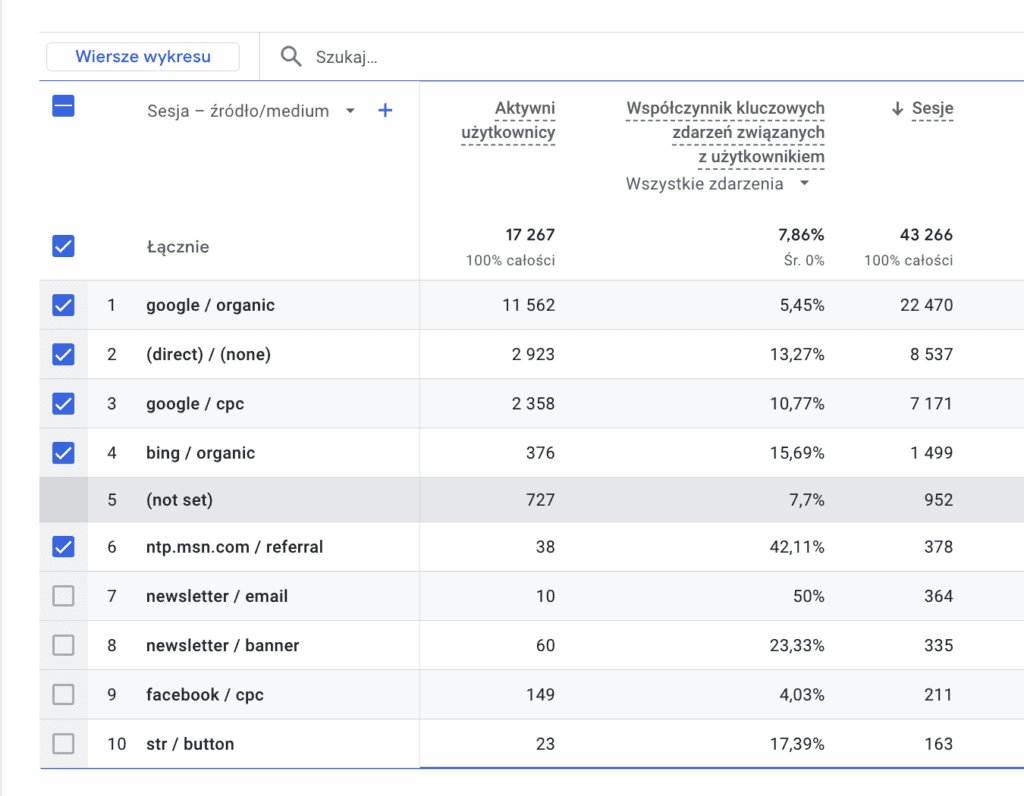
Interestingly, you can't plot values labeled (not set). That's a bit inconvenient, because you can't easily see whether that value spiked at a particular moment. I don't really understand this limitation, since that's exactly where the feature could be most useful.
New Transactions report
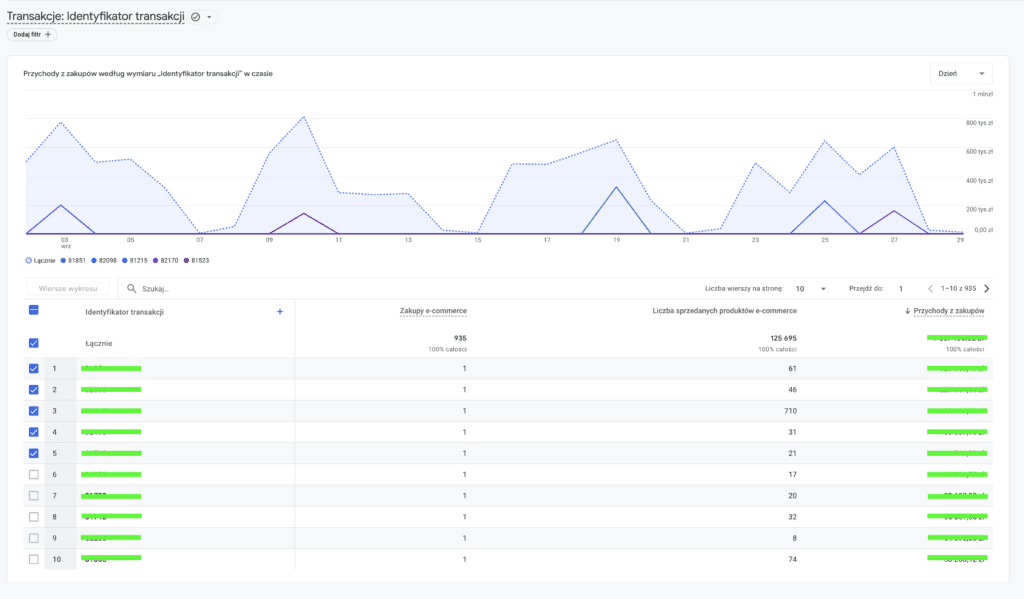
I have to admit it amused me that a transactions report showed up in GA4 more than 2 years after UA was sunset. I doubt anyone will use it, since everyone has already learned to rebuild it in Explorations. Still, we finally have what is probably one of the most important ecommerce reports
New report features
When you hover over a report title, a short description of the report appears
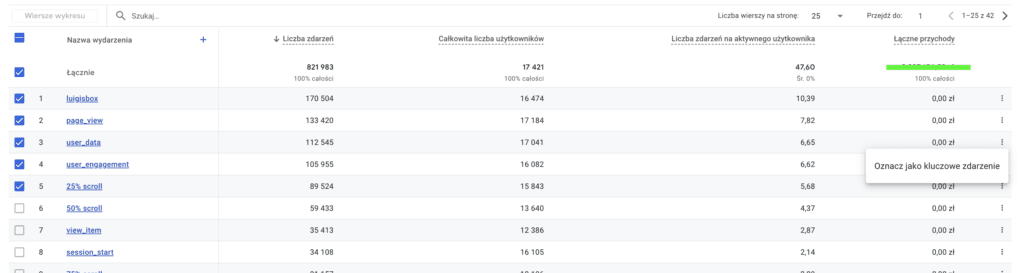
You can mark an event as a conversion directly from the Events report
Subscribe to the newsletter to read the rest of this article
Sign up for our newsletter to get access to the full article
Get our latest articles and updates in your inbox.
Data import improvements
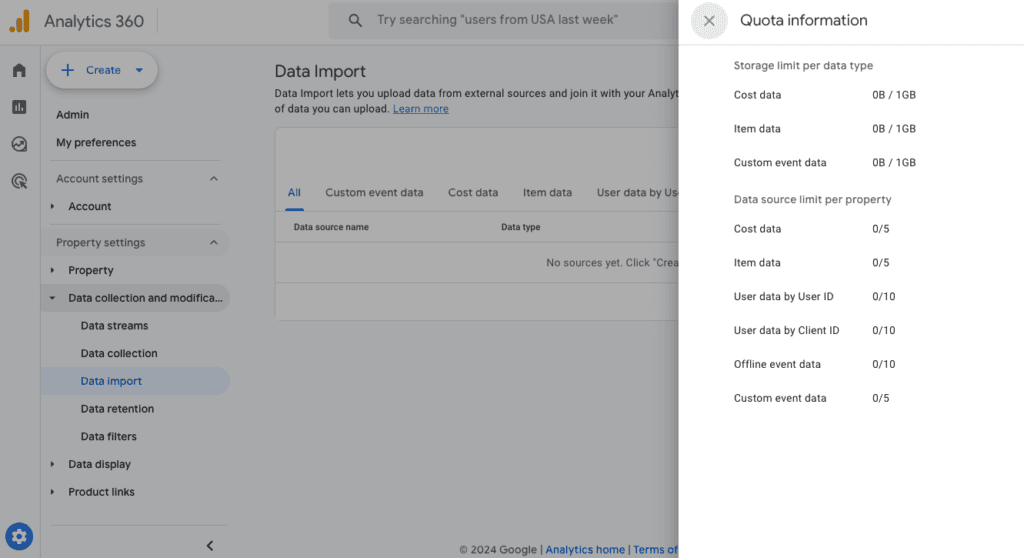
You can now create more data sources for each import type: 10 instead of 5. Data import should also now keep existing data instead of automatically overwriting it. Only updated records with an existing key will be overwritten.
Google Tag Manager
Consent mode override
There haven't been many changes in GTM since the start of the summer, but this one looks quite interesting.
This setting lets you force the Google tag to fire with the default consent state set to "denied", even if the website or app reports something else. You can configure it by region.
Of course, sending an updated consent state cancels out this setting.
This can be useful if your site operates in many countries and consent has to be denied by default in only some of them.
I don't think this feature will be of much use for sites in the European Union market, unless at some point it replaces the default consent state received from the website.
Looker Studio
New connectors: Microsoft Excel

New connectors are nothing unusual, but over the summer there were dozens of connector releases. In my view, one deserves special attention: Microsoft Excel.
It lets you import an Excel file into Looker Studio and visualize the data in it
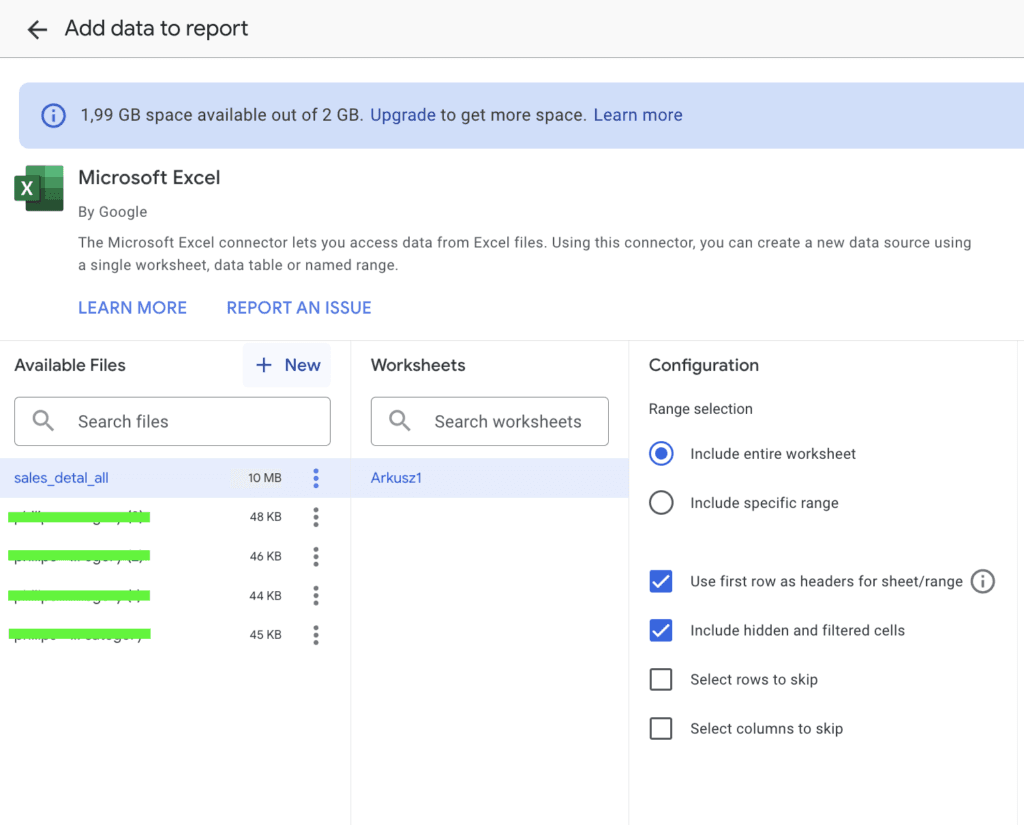
I've already tested the connector and it works flawlessly. It's a real help when you need to quickly add some offline data to a dashboard.