After the summer break, I'm back with the monthly roundups of what's new in web analytics across Google's tools. Here's a summary of what changed in July and August.
Adam Brzostek
Reading time: 2:00
Analytics news: July/August 2025
Google Analytics 4
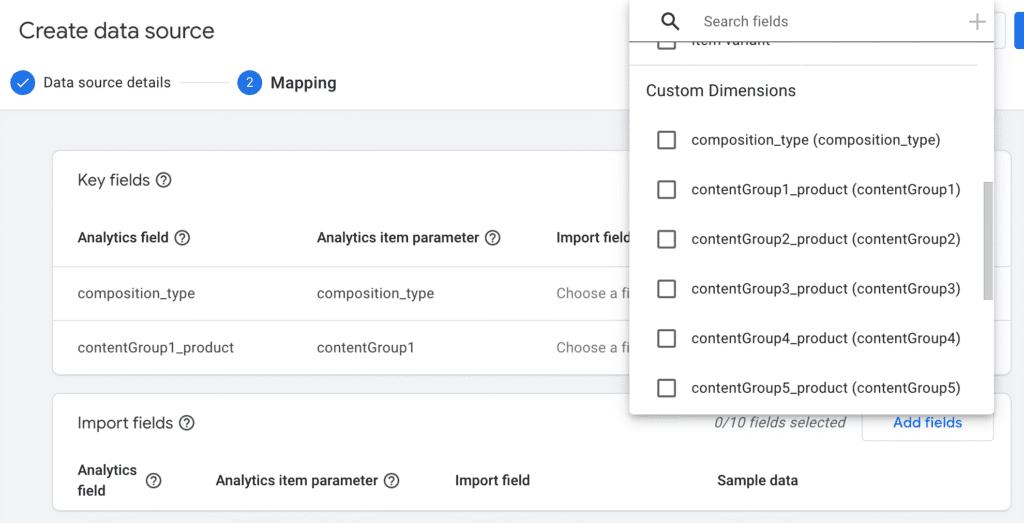
Expanded product data import
Since July, we can import item-scoped custom dimensions.
We're also no longer limited to the item ID as the import key; we can choose a custom dimension instead
New reports and suggested audiences for lead generation sites
For a while now, when creating a new GA4 property, we've been asked to declare our business objectives, and the interface is personalized based on them. Mostly this shows in which reports are available by default.
If your business objective is generating leads, you'll get two new reports and 8 predefined audience templates.
All very nice, except there's no magic involved: you first have to send the right recommended events with the right parameters to GA.
Which means you could build both the report and the audiences yourself in Explorations in a few minutes.
Well done, Google. A revolution.
More usable and more widely available item-level ecommerce dimensions and metrics
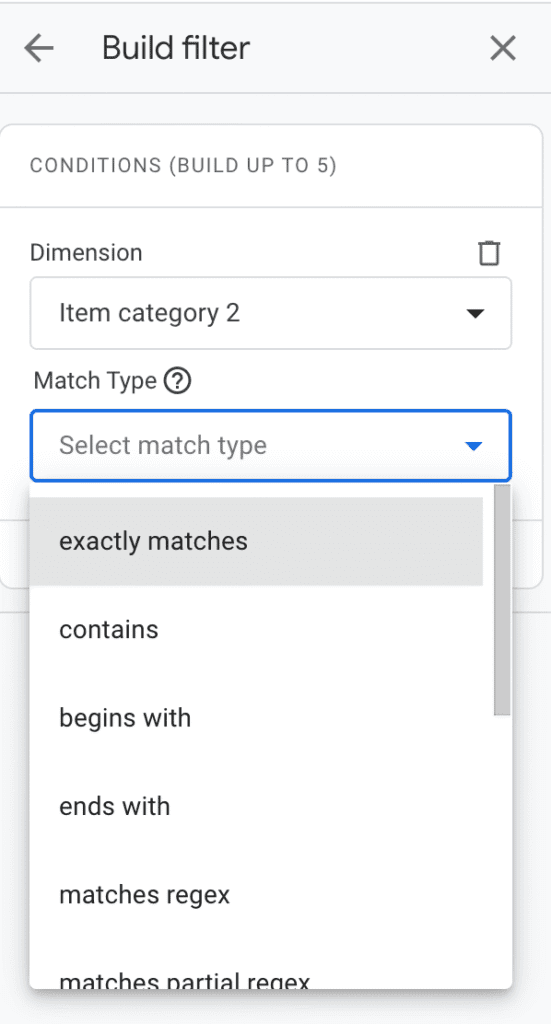
Finally, a useful change. Until recently, if you wanted to create a filter based on item category, for example, exact match was the only option.
On top of that, item-level dimensions weren't available, for example, as a secondary dimension in standard reports.
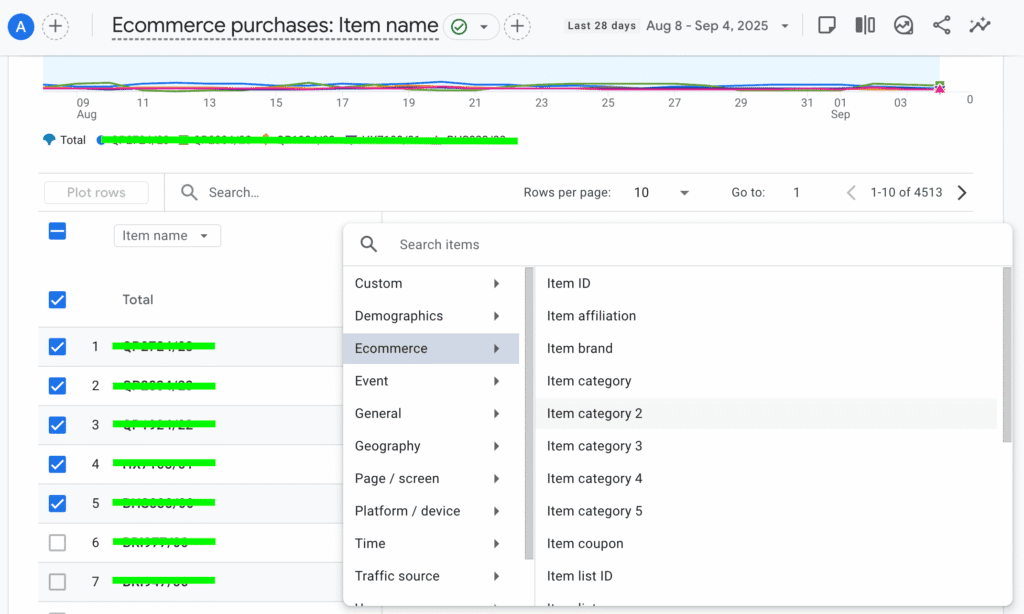
Now we can use item-level ecommerce dimensions (custom ones too) as a secondary dimension, in filters, comparisons and report customizations.
The metrics are available in report customization.
As for usability, all match types are now available in filters and comparisons. Explorations already had this feature.
Looker Studio
This is probably the fastest-evolving tool right now. New features and improvements ship practically every week. These are the ones that caught my eye:
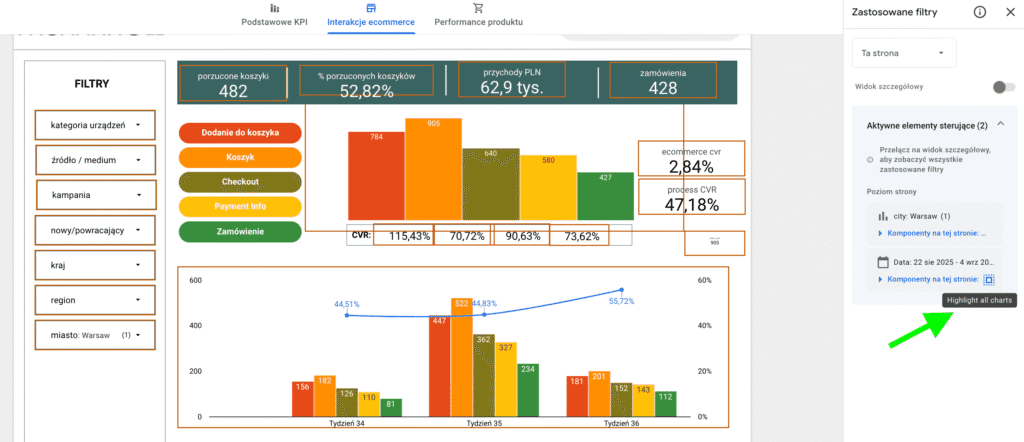
Highlighting charts affected by a filter
In report view mode, you can now easily see which charts each active filter applies to. This will be very handy in more complex reports, especially where filters don't apply to the whole report.
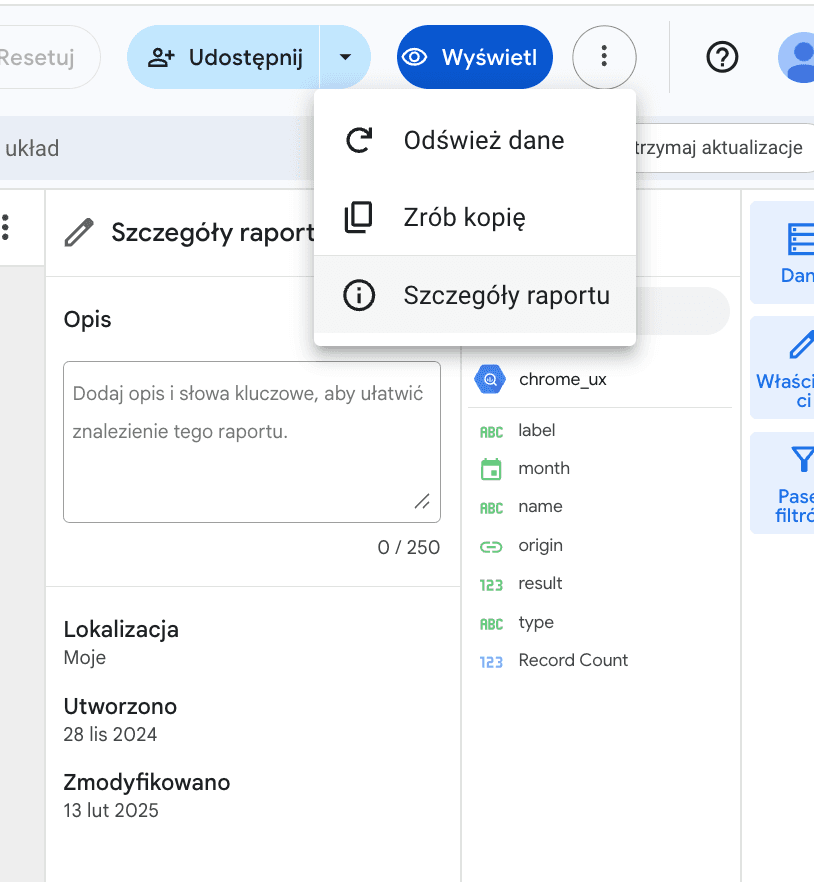
Adding descriptions to reports
Besides a title, you can now also add a description to your report. Importantly, search will look through both fields
In my view, nothing worth much attention appeared in Google Tag Manager