Rafał Piszczatowski
Reading time: 5:00
Should you always enable Google signals in Google Analytics 4?
Here's how Google describes it:
When you activate Google signals, Google Analytics associates the visit data it collects with Google information from accounts of signed-in users who have consented to this association for the purpose of ads personalization. This Google information includes the user's location, search history, YouTube history and data from sites that partner with Google.
source: Google Analytics 4
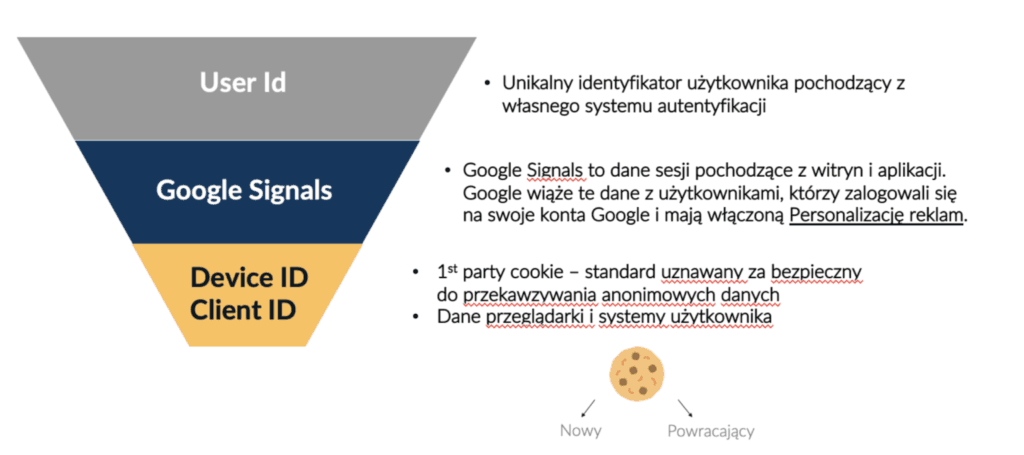
Google signals lets GA4 merge several different cookies into one user (e.g. when one person uses several devices or browsers). It does this using our sign-ins to Google services and Google partners' services. It requires user consent, which people can grant or refuse, among other places, when creating a Google account.
How does GA4 measure cookies, and how does Google signals work in practice?
When it comes to improving cookie-based data, Google Analytics 4 takes a much more interesting approach than its predecessor (Universal Analytics). In a basic implementation (without Google signals and the User-ID feature), GA4 uses the device ID or Client ID. When you extend the data with Google signals, a user can be linked and counted as 1 despite having two different cookies. The last feature, which can override this, is user_id: your own implementation that sends a unique identifier, e.g. after the user logs in.
Whichever feature you use, everything happens within one property. In Universal Analytics we had a separate view where we analyzed only users with a user_id. GA4 moves away from that, which seems a very sensible approach, because the main property can show a more accurate user count.
How to enable Google signals in Google Analytics 4
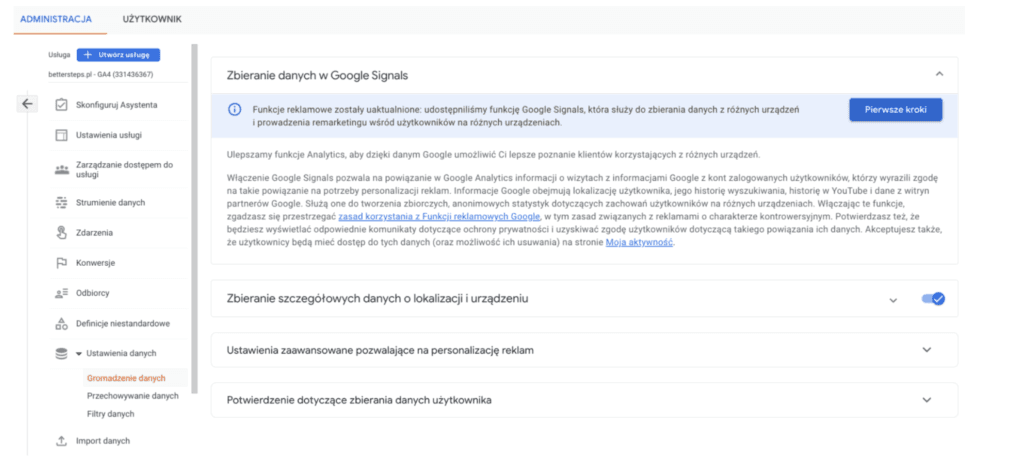
Turning on Google signals is simple. Go to your GA4 account, open Data settings -> Data collection, and follow the Google signals data collection steps. Keep in mind, though, that Google requires you to accept its terms. By doing so, you confirm that you inform your users (e.g. in your cookie policy) that you use this feature and that you collect the necessary consents (you'll find more on cookie consent here: bettersteps.pl/wdrozenie-cookies-consent-management-platform-cookie-baner-na-stronie). Google is cautious about this too. Data enriched with Google signals only appears when the sample is large enough to prevent anyone from recognizing a real user and linking them to the collected cookie. The data is, of course, also anonymized.
What are the benefits of enabling Google signals?
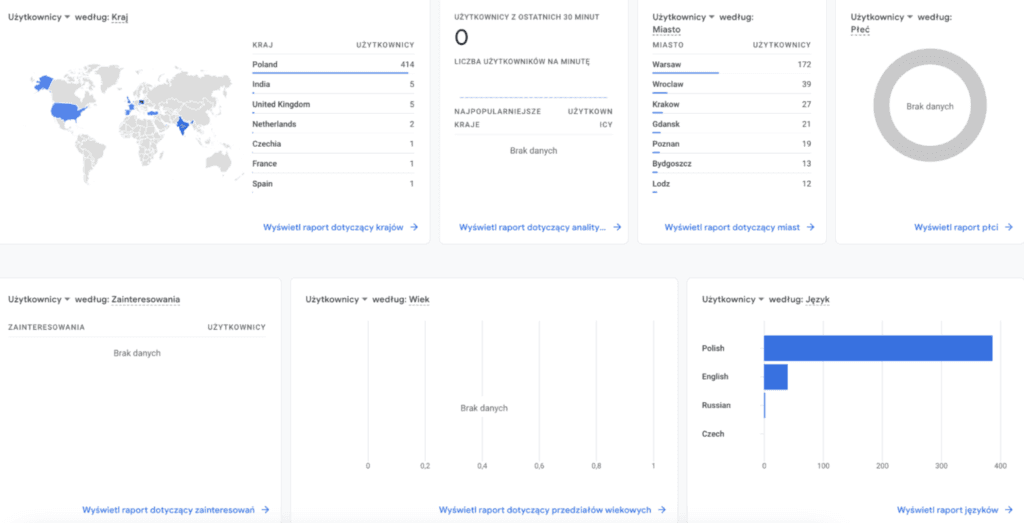
- demographic data: with Google signals turned off, we have no information about the gender and age of our identified users. These reports only become available once the feature is on. With Google signals off, there's no data for the Gender, Age and Interests dimensions.
- more accurate customer journey measurement: assigning several cookies to one user lets you analyze the journey better. Some users who are signed in to Google services on both desktop and mobile get linked. This means a user who browsed your site on mobile and completed the purchase on desktop can be measured and analyzed as a single user journey.
- marketing: in advertising, we can target our ads more precisely at specific groups, which of course means better reach and more effective campaigns.
- a more accurate user count: fewer duplicate users (cookies) from people who use multiple devices on your site.
Is it always worth enabling Google signals? Testing it on real accounts
Update: Google poprawiło funkcjonalność i obecnie Google Signal nie wpływa na progowanie w gotowych raportach. Poniższe zestawienie opisuje sytuację przed poprawkami na GA4.
Enabling Google signals also has some downsides. I tested data collection in GA4 on the same site with the feature turned on and off:
Property with Google signals turned off
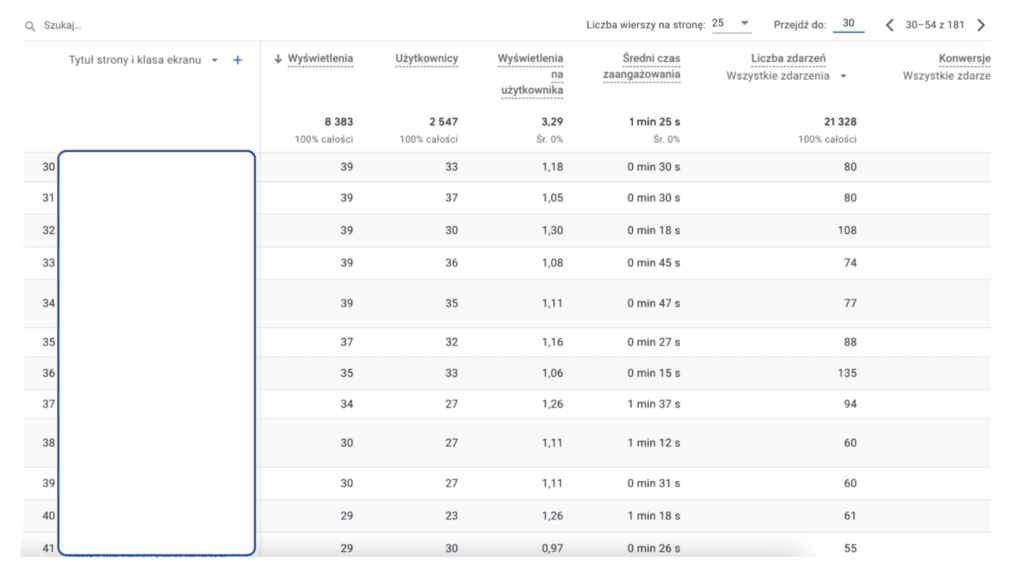
In the property with Google signals turned off, the pages report shows 8,383 views, and it includes total traffic data even for pages with very little traffic (fewer than 30 visits).
Property with Google signals turned on
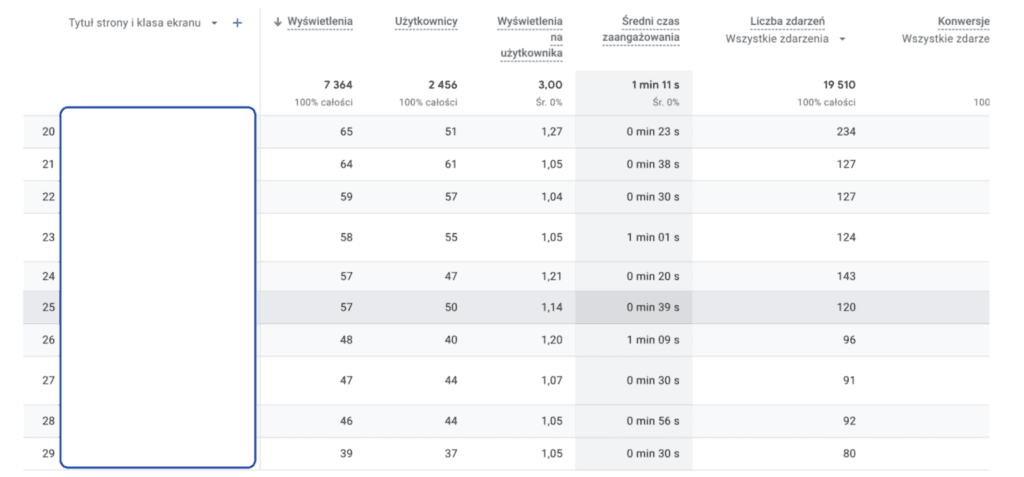
The same site with Google signals turned on shows different results. Total views come to 7,364, so the report shows over 1,000 fewer views. Google applied thresholding to every page with fewer than 39 views, and none of those pages appear in the report. They're excluded, so total views across all pages are lower than the actual number.
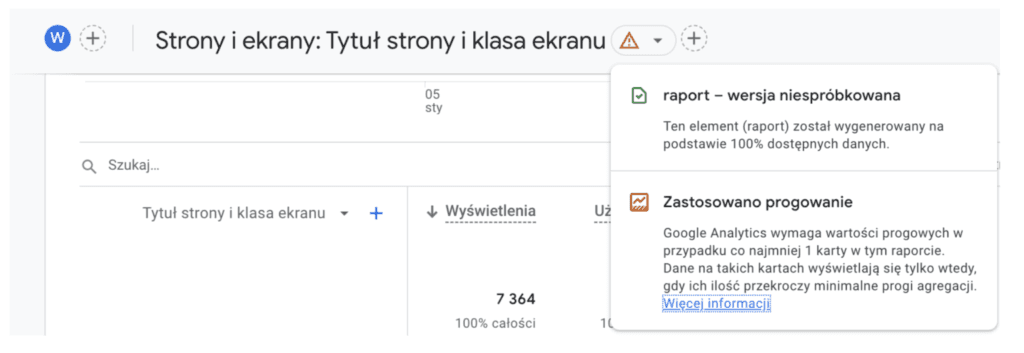
With Google signals enabled on the property, the Engagement – Pages and screens report may tell you that thresholding has been applied. This means Google only shows data when it has a large enough sample to display it safely, without any possibility of linking it to a real user.
Analyze your business needs and test Google signals on your own account
Given the possibility of thresholding, it's worth looking at your site or app and at what you actually need Google Analytics for. On very large sites, the problem is usually fairly small. Pages with fewer than about 40 visits get very little traffic, and their share may be under 1%. It can be different for sites that, despite high overall traffic, are made up of many pages that each get few visits (e.g. classifieds sites). A company that currently has little traffic and is building content will see it differently too, because it wants data on every single visit. The decision to enable Google signals should be made case by case, based on the company's needs. Google signals opens up better remarketing and richer analytics, but it also risks losing part of your traffic directly in GA4 reports.
I recommend checking whether Google applies thresholding in your reports (this is always indicated in the report; see the screenshot above). I ran the test above, with Google signals on and off, on several sites with different traffic levels: low, medium and very high. Some properties had thresholding, while others didn't, even though traffic to individual pages was very low. So it isn't a rule, and you can check for yourself how it looks in your case.
Update: Google poprawiło funkcjonalność i obecnie Google Signal nie wpływa na progowanie w gotowych raportach. Obecnie rekomendowane jest włączanie funkcjonalności, jeśli chcemy mieć dane o wieku i płci uzytkowników na swoim koncie.