Konstantine Yevlakov
Reading time: 9:00
Google Ads account audit: a practical guide
Trends shift fast and competition keeps growing, so for any business investing in online advertising a regular Google Ads account audit has become a necessity rather than a nice-to-have. An audit is one of the most effective ways to catch campaign errors, find areas that need optimization and look for new approaches that help you hit your business goals. A detailed look at account structure, ad quality, keyword selection and campaign settings can reveal untapped potential in your marketing. A well-run audit helps you increase conversions and cut ad costs, and it also puts you ahead of competitors by giving customers more relevant and appealing content. In this guide we share practical tips on how we run effective Google Ads audits, step by step.
Introduction to a Google Ads audit
A Google Ads account audit is a detailed review of every element of your ad campaigns, aimed at identifying areas that need optimization. During an audit we should analyze every aspect of the Google Ads account to make sure the campaigns are as efficient and effective as possible. This includes, among other things:
Account structure: A review of the account structure, including campaigns, ad groups, keywords and ads. We check whether campaigns are grouped sensibly and whether the account structure matches your business goals. One example is an e-commerce campaign audit, where we assess whether the structure is split by product category, which gives better control over spend and makes it easier to optimize results.
Ad quality: An assessment of the ad copy, how well it matches what users expect, and the quality of the call to action (CTA). We check whether the ads grab attention, are formatted properly and include elements that encourage a click. For example, if your ads have a low click-through rate (CTR), you may need to revise the copy or match it more closely to search intent.
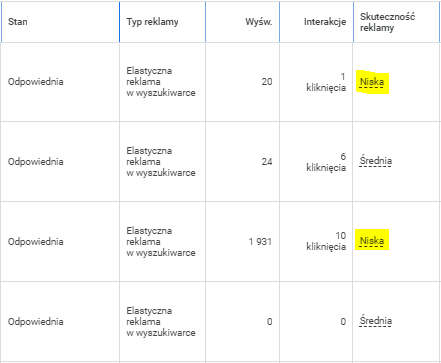
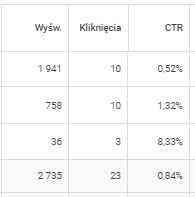
Keyword performance: We analyze the performance of individual keywords, including their Quality Score and conversion rate. We check which keywords drive the most conversions and which ones waste budget.
Campaign settings: We review campaign settings such as location targeting, ad schedule and budgeting. We make sure the campaigns reach the right audience at the right time and within the planned budget.
Landing page optimization: We analyze the landing page that ad clicks lead to, to make sure it matches the ad message and is optimized for conversions. We check whether the landing page gives users a good experience and encourages them to act. For example, if the page takes too long to load, users may abandon their purchase, which lowers the conversion rate.
Conversion tracking: We check whether conversion tracking is configured correctly and delivers accurate data on campaign results. We analyze all conversions added to the account and how they are used to optimize campaigns. Effective conversion tracking lets you measure ad performance precisely and better understand which parts of a campaign bring the most value.

Exclusions: We pay close attention to exclusions in the ad account, such as negative keywords in Search campaigns, content exclusions in Display campaigns (GDN), URL exclusions in Performance Max campaigns and account-level exclusions. Using exclusions that fit the campaign type can have a major impact on results, which is why the most important part of an effective Google Ads account audit is correctly assessing whether these restrictions are used, or missing, within the marketing strategy.
Preparing for the audit
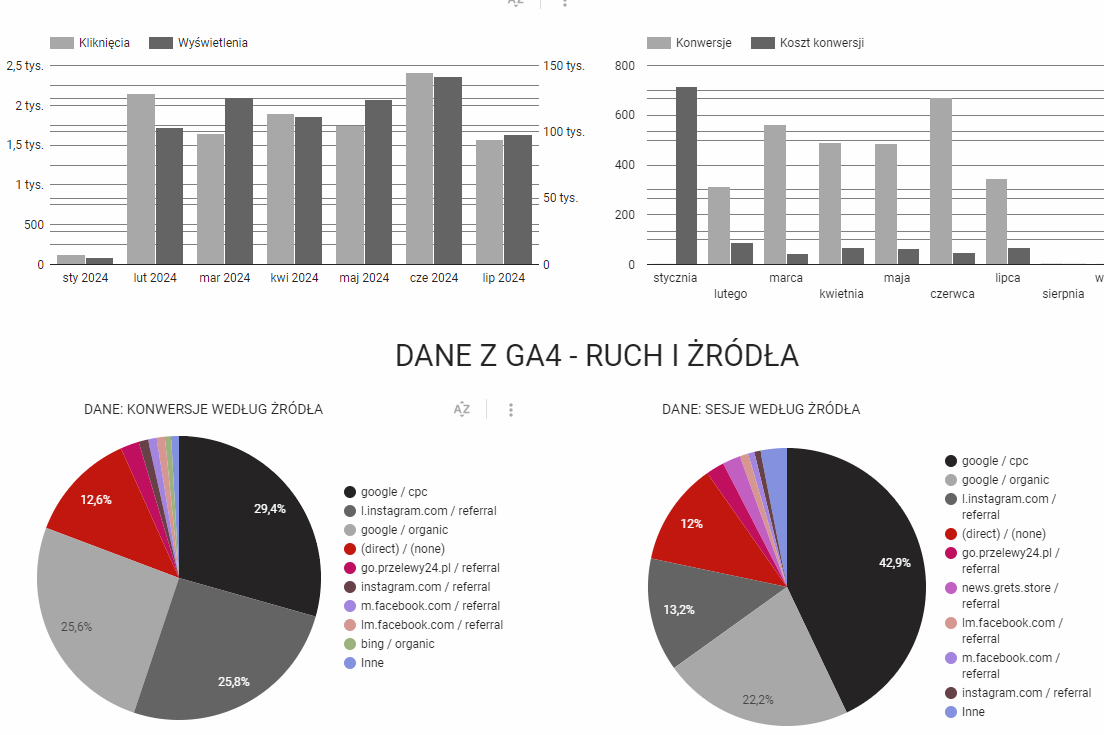
Before starting the audit, we collect all the data we need, including business goals, current ad costs, conversion rates and data from Google Analytics.
Example: If your goal is to increase the number of online transactions, we need to gather data on conversion rates, average order value and customer acquisition cost.
Tip: Create a report that tracks your key performance indicators (KPIs) before and after the audit, so it's easier to assess the impact of the changes.
The audit step by step
1. Account structure
We check whether campaigns and ad groups are grouped logically. A well-organized structure makes it easier to manage the budget and tailor ads to user intent.
Example: If the account has just one campaign with many products spread across different ad groups, that may indicate imprecise ad targeting. A structure like this can lead to low-quality ads that are less relevant to the audience.
Recommendation: Consider splitting campaigns by product or service and building more tightly focused ad groups. For example, if you run a clothing store, create separate campaigns for "shoes," "T-shirts," and "pants." In each campaign, use relevant keywords and ads aimed at a specific audience.
2. Ad analysis
Ads should be appealing, include clear calls to action (CTAs) and be consistent with the offer on the landing page.
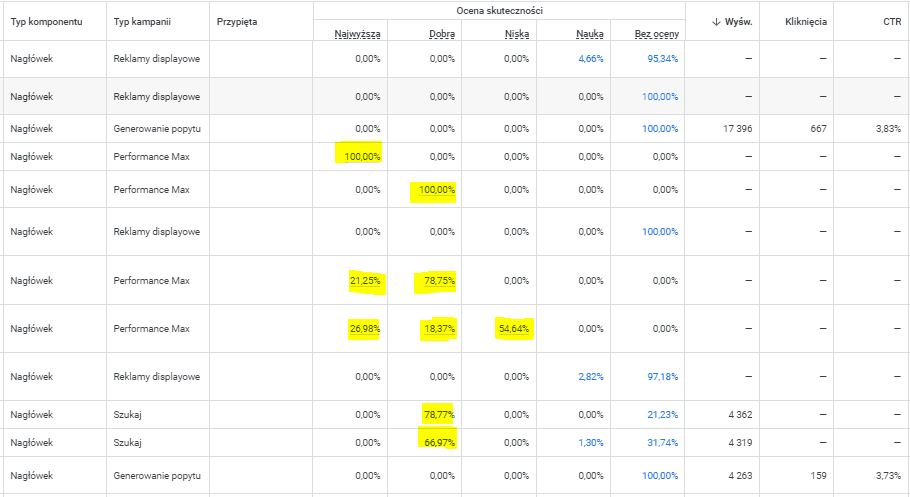
Example: If we see that the click-through rate (CTR) of your ads is low (below 2%), it may mean the ads aren't appealing enough or don't fit the selected keywords.
Recommendation: Test different ad variations with A/B tests. For example, try changing the headline or the call to action, such as “Buy now” to “Order today and get 10% off”. Use ad assets such as sitelinks or callouts to increase visibility and give users more reasons to click.

3. Keyword analysis
Effective keywords attract high-value traffic and generate conversions while keeping ad costs at an acceptable level.
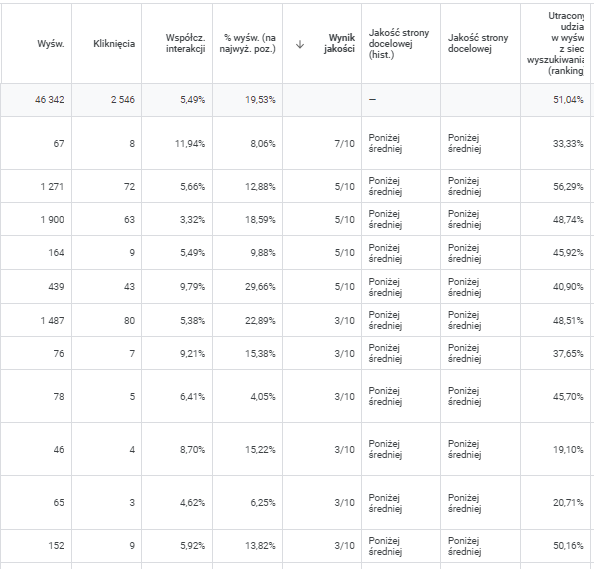
Example: If we find that many keywords have a low Quality Score (e.g. below 5/10), it may mean the ads aren't relevant enough to those keywords or the landing pages don't meet user expectations.
Recommendation: Add columns such as Quality Score, Landing page experience and Search lost IS (rank) to your reports in the interface. Remove low-performing keywords or adjust the ads so they match those keywords more closely. Use broad match, but pair it with a proper set of negative keywords to avoid unwanted impressions. For example, if you advertise “sports shoes,” add the negative keyword “dress shoes” to exclude impressions for irrelevant queries.
4. Campaign settings analysis
Check location and demographic settings, the ad schedule and bidding strategies to make sure the campaigns are optimized.
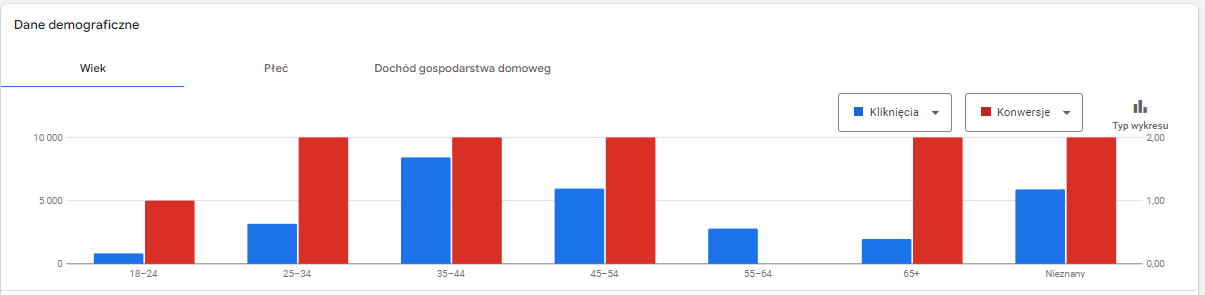
Example: If you notice that your ads show at times when your customers are less active (e.g. at night), you may be wasting budget.
Recommendation: Adjust the ad schedule to focus on the hours when your target audience is most active. Use bid adjustments to raise or lower bids for specific hours, locations or devices. For example, if you see that mobile users purchase more often, consider increasing bids for mobile traffic.
5. Landing page analysis
The landing page should be consistent with the ad message and optimized for conversions. Page performance directly affects the ads' Quality Score and the conversion rate.
Example: If the ad promises “free shipping” and the landing page doesn't mention it, users may feel misled, which lowers the conversion rate.
Recommendation: Make sure the landing page content matches the ad and includes clear calls to action (CTAs). Improve page performance by optimizing load time and making the page mobile-friendly. Tools such as Google PageSpeed Insights help you identify and fix issues that slow the page down.
6. Conversion measurement and optimization
Setting up conversion tracking is essential to understanding which parts of a campaign work best.
Example: If you get plenty of conversions but don't know which keywords, ads or devices deliver the best results, you won't be able to optimize your campaigns effectively.
Recommendation: Make sure conversion tracking is set up, including Enhanced Conversions, to get a fuller picture of your results. Use data-driven attribution to understand which touchpoints in the customer journey matter most. If you find that most conversions come from mobile users, adjust your bids and optimize your landing pages for mobile devices.
7. Exclusions
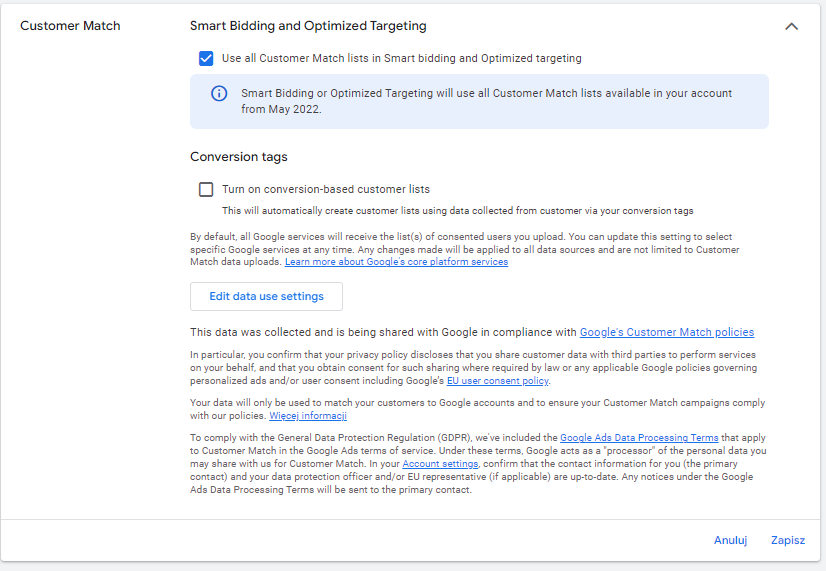
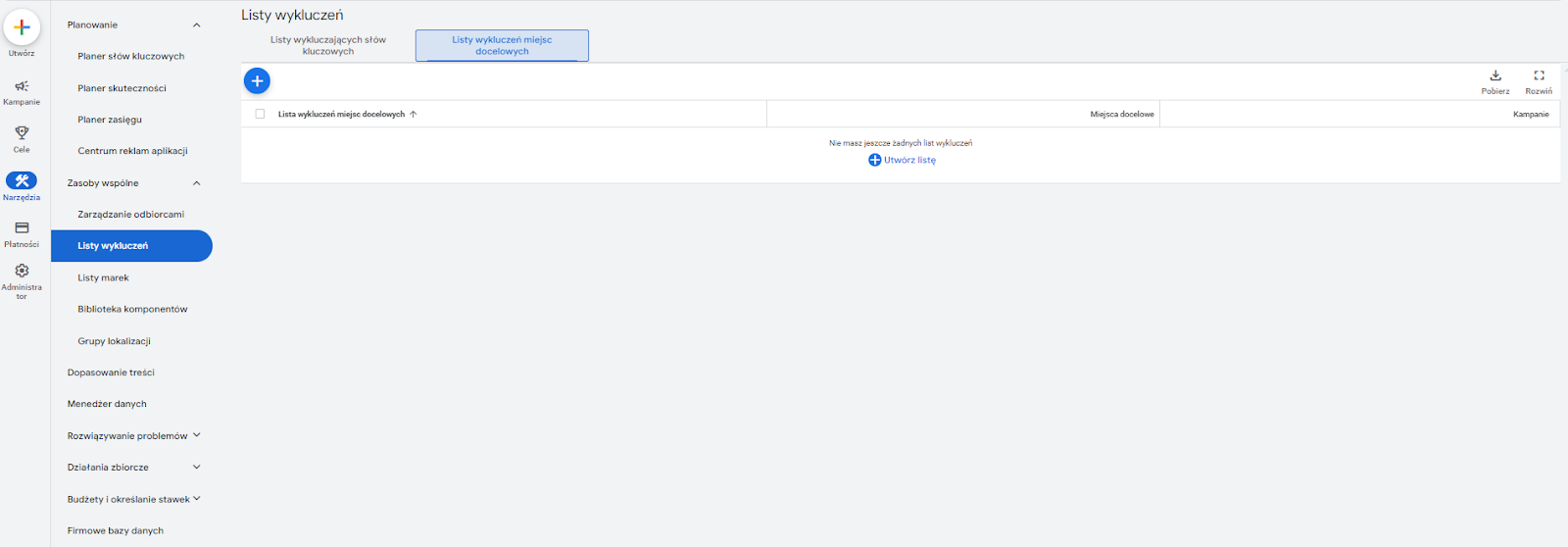
We pay close attention to exclusions in the ad account, such as negative keywords in Search campaigns, content exclusions in Display campaigns (GDN), URL exclusions in Performance Max campaigns and account-level exclusions.
Optimization and continuous improvement
The audit is the first step toward optimization. Once you've identified what needs improving, make the changes and monitor the results.
If we see that a campaign has a high cost per conversion but few purchases, the keywords may be too broad or the landing page may not meet user expectations.
Run regular A/B tests on ads, keywords and landing pages. Use Google Ads recommendations and Performance Max campaigns to adjust bids, keywords and creatives automatically for better results. Keep improving your campaigns based on the data you collect and your test results.
Useful audit tools
We use tools such as Google Analytics, Google Tag Manager and Google Ads Editor to collect and analyze data and to make changes in the Google Ads account.
Example: Google Analytics shows you how users behave after clicking an ad, which is essential for optimizing landing pages and improving conversions.
Summary
A Google Ads audit is an essential step toward optimizing your campaigns. By analyzing and adjusting campaigns based on data, you can increase conversions, improve ad quality and optimize ad spend.
Checklist: an effective Google Ads audit, step by step
- Preparation: Define your campaign goals and collect all the data you need.
- Account structure: Check the structure of campaigns and ad groups.
- Ad analysis: Assess ad quality and how assets are used.
- Keyword analysis: Check keyword performance and match types.
- Campaign settings: Review location, demographic and budget settings.
- Landing page: Check landing page consistency and performance.
- Conversion tracking: Make sure conversion tracking is configured correctly.
- Optimization: Make changes based on the audit findings.
- Monitoring and testing: Monitor results regularly and test new strategies.
If you want to get the most out of your Google Ads campaigns but don't feel confident reviewing your Google Ads account yourself, you can count on us. We offer a professional Google Ads account audit that covers a detailed analysis of every aspect of your campaigns. Our team of experts will identify areas for improvement, give recommendations based on best practices and help you implement solutions tailored to you. With our support you can expect more conversions, optimized ad spend and better results. Contact us to order an audit and take your Google Ads campaigns to the next level.