Adam Brzostek
Reading time: 3:00
Analytics news: May 2025
There wasn't a single GA4 update in May.
As usual, we'll sum up the June changes in an article at the end of the month
Google Tag Manager
First-party mode is now Google Tag Gateway
This isn't brand new, as the solution has been around for a while.
In short, instead of loading scripts on your site from a third-party domain (Google's domains), you load them from your own domain. This lets you get around ad blockers to some extent, so in theory you should end up with better, more complete measurement. You can think of it as a simplified form of server-side tracking that only works for Google tags (GA4, Ads, etc.). The gateway acts as an intermediate proxy between your site and Google's servers.
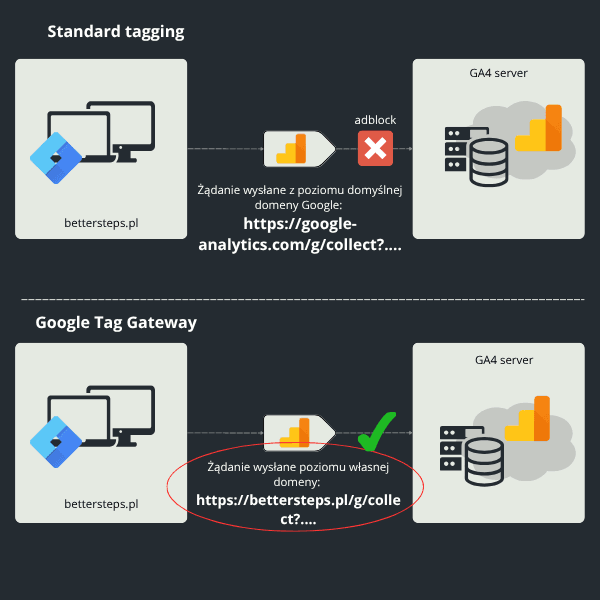
As I mentioned, this isn't entirely new. What has changed is that setup is now simpler.
If you use Cloudflare, setting up the gateway is now really easy and almost fully automatic. There are two setup options:
- At the Google tag level: https://support.google.com/tagmanager/answer/16061406
- At the Google Tag Manager level: https://support.google.com/tagmanager/answer/16061641
I think option 2 is the more general one, though in some cases option 1 makes sense. Just keep in mind that with option 1 you have to configure each service separately.
I'll write a separate article on the setup itself once I've tested it properly.
Finally, here are a few drawbacks of this solution:
- if you don't use Cloudflare, setup is still possible, but it's a really complicated process, and the documentation leaves a lot to be desired
- as the name suggests, it only works for Google tags, so a better option seems to be a server-side setup with Google Tag Manager running in first-party mode. That should let you get the benefits of Google Tag Gateway for other vendors too, such as Meta. Unfortunately, here too the documentation is practically nonexistent if you don't use Cloudflare.
As you can see, the drawbacks are only about limitations and the setup process. In theory, the added value is still worth your time. Once I have the test results, I'll publish a full summary along with a guide. I'd strongly encourage you to sign up for our newsletter to make sure you don't miss it.
Looker Studio
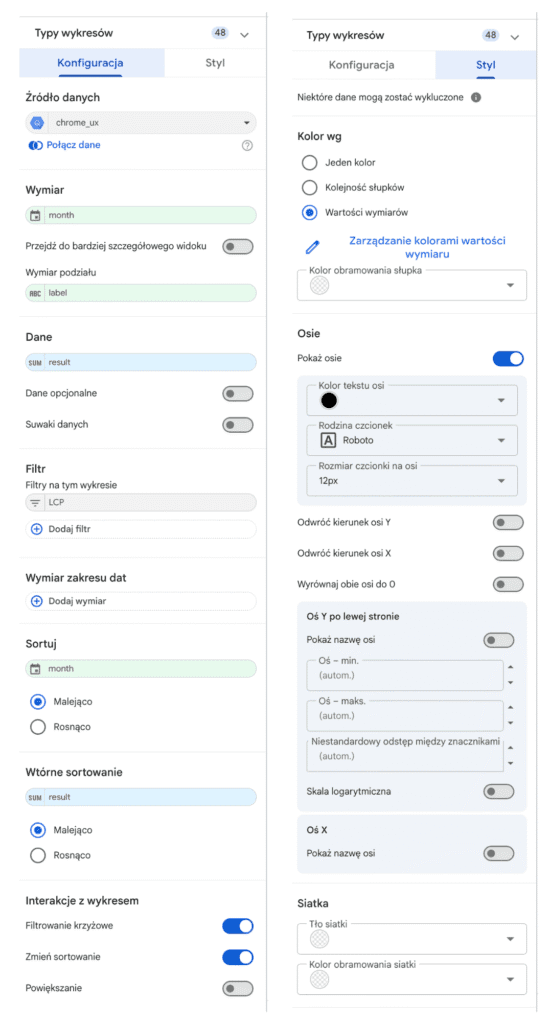
Refreshed UI/UX for Looker Studio reports
The Looker team is moving fast, and of the updates announced in May, the most significant seems to be the refreshed UI/UX for configuring elements in Looker Studio. It's clearly a change for the better: everything is intuitive and better organized. Even if you were used to the old look, switching to the new one should be painless.