Server-side tracking is becoming more and more popular, and rightly so, because it has many advantages, which we write about in other articles on our blog. In this article I'd like to go over the most common pitfalls you may run into when you decide to set up server-side GTM with Google Cloud Platform as your server provider.
Adam Brzostek
Reading time: 4:00
Server-side GTM setup pitfalls on Google Cloud Run
1. Processing region
When you set up server-side GTM on Google Cloud, in most cases you'll use Cloud Run, which requires you to choose a data processing region. It's a more important setting than it looks. Once the service is set up, you can't change it later. To save yourself extra work, think carefully about which location is best for your server
There are several factors to consider when choosing a region.
Legal requirements
with so much emphasis on user privacy these days, you need to check whether the website you're implementing this for serves a country that requires data to be processed in a specific location. For example, EU countries should use infrastructure located in the EU.
Cost
locations are currently split into two pricing tiers: Tier 1 and Tier 2. With a small number of requests the difference won't be very noticeable, but for larger websites it starts to matter. Remember that Tier 1 is the cheaper option. You'll find which locations belong to which tier here: https://cloud.google.com/run/docs/locations, and a detailed breakdown of the price differences here: https://cloud.google.com/run/pricing#tables
Environmental impact
Google marks some locations as low CO2. This means the location has a CFE score of 75% or more.
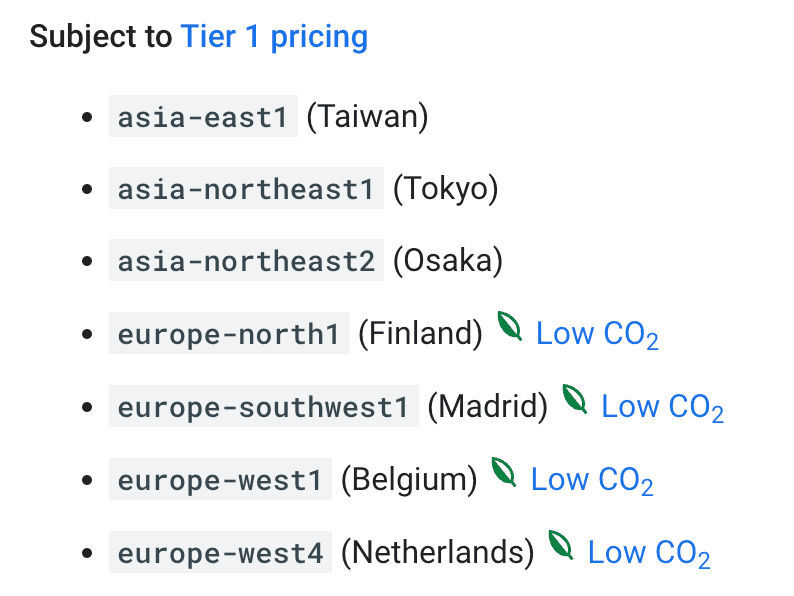
CFE is expressed as a percentage and shows what share of the time Google's infrastructure in a given location runs on carbon-free energy. Keep in mind that this isn't an official standard, just a metric created and published by Google.
Still, if your organization cares about keeping its carbon footprint low, it's worth taking this into account when you choose
Performance
Depending on how far the Cloud Run infrastructure is from where you operate, you may see different amounts of network latency. The differences will usually be milliseconds, but as a rule of thumb, the closer, the faster. It's worth mentioning that since 2021 GCP has had a Polish region: europe-central2
Now that you know what to look for when choosing a region, here's the most important point of this section: if you choose automatic provisioning of the tagging server, you can't set any region other than us-central1. That's why you should always set up the server manually.
2. CPU allocation
One of the settings when you configure a Cloud Run server is CPU allocation and pricing

With manual setup, the default is the option selected in the screenshot above, and in most cases that's the recommended setting, unless you need to keep request latency as low as possible.
This setting means the server only starts when it receives a request, and you're billed only for that time.
The trap is when Cloud Run was set up automatically (though we already know not to do that), because then the default is CPU always allocated, which also means you're billed all the time.
Of course, this has its uses in specific cases and for high-traffic websites, but for smaller businesses it just generates costs, for example at night, when your site sends hardly any requests.
If you already use an automatically configured Cloud Run service, I recommend checking and changing this setting until you create a new instance in the right region.
3. Cloud Logging
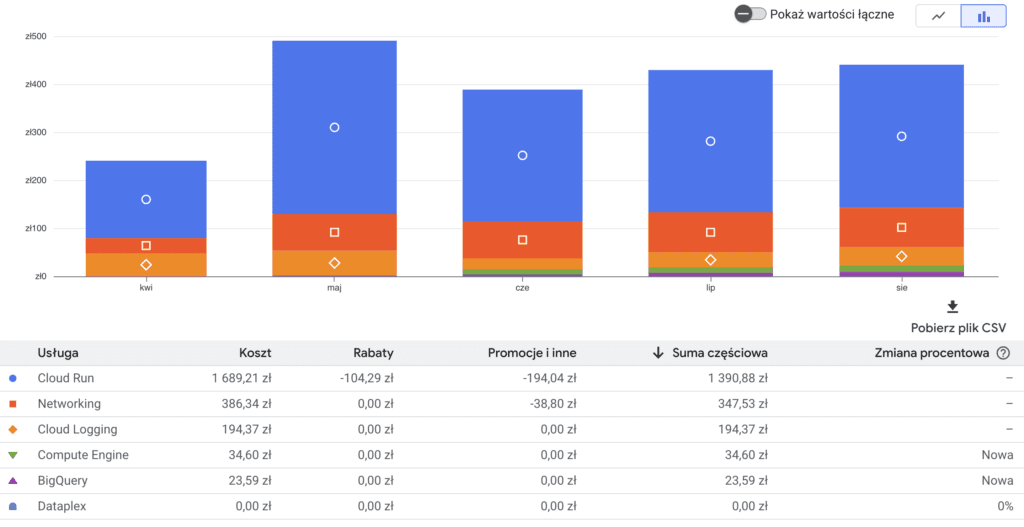
Cloud Logging is a service that records every request your server handles.
It's turned on by default, but you can turn it off. It can noticeably increase your costs, and in my experience nobody actually uses it.
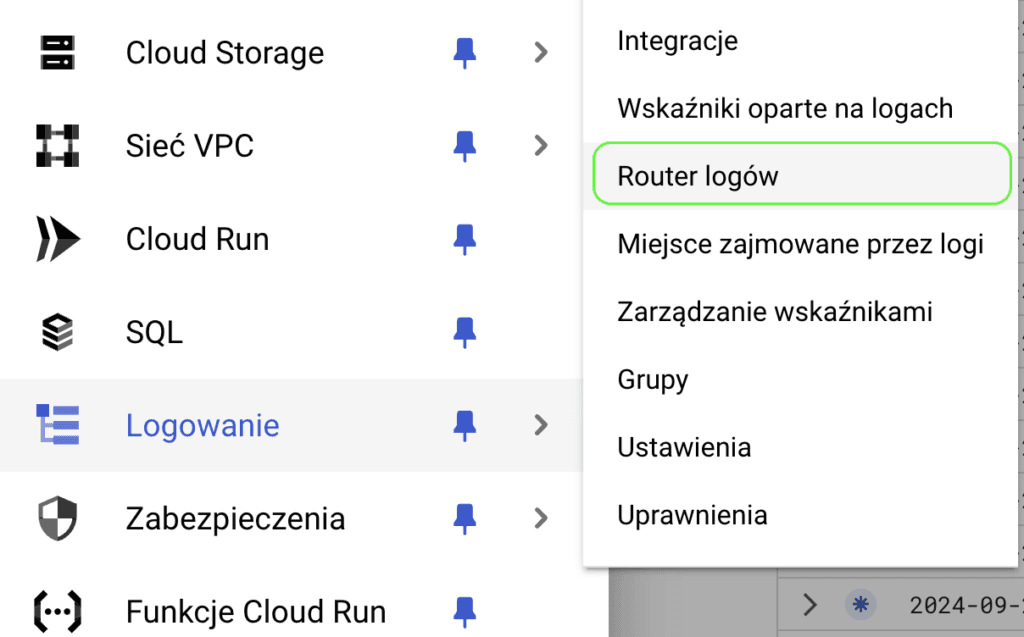
Open the Log Router:
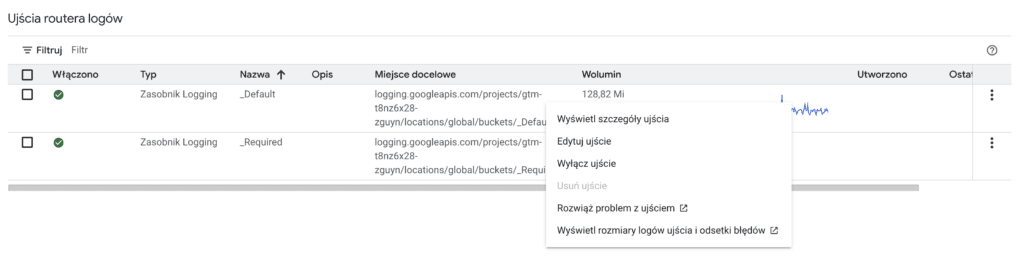
Then, for the _Default bucket, open the more actions menu and select Edit sink.
In the editor, update the inclusion filter by adding the following statement:
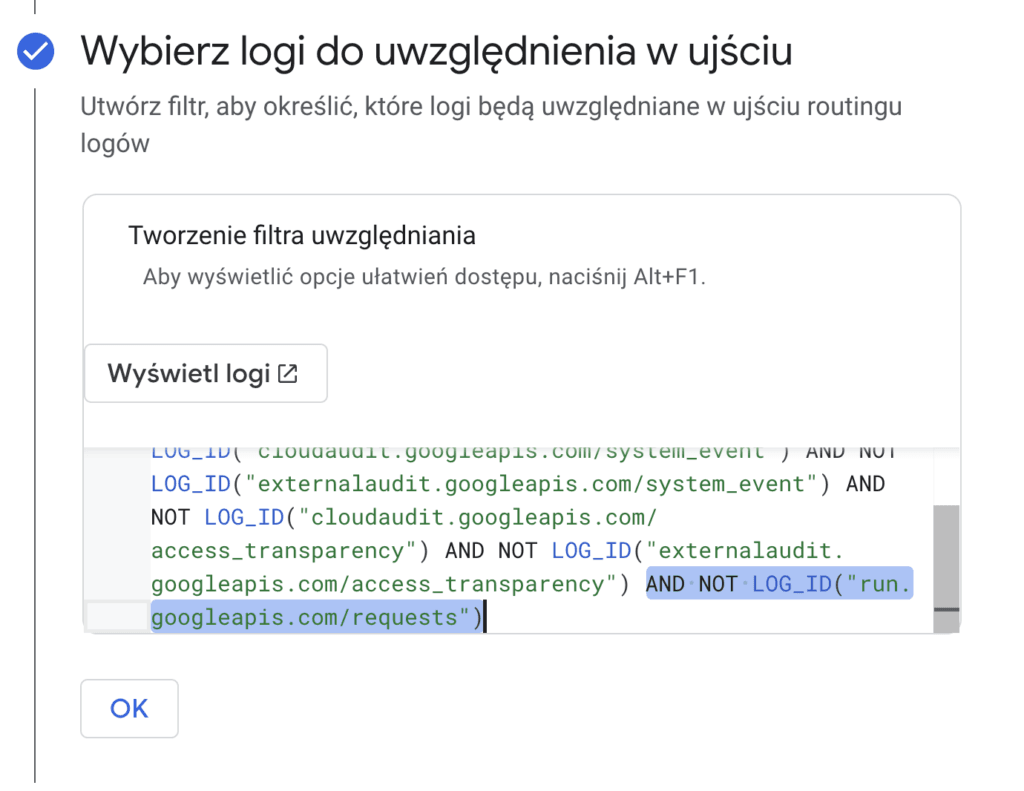
AND NOT LOG_ID("run.googleapis.com/requests") AND NOT LOG_ID("requests")Save the updated filter and click Update sink.

From now on, this service should no longer show up on your GCP bill
We'll definitely be writing more about server-side tagging recommendations, GCP cost optimization and what's new in server-side GTM, so I strongly encourage you to sign up for our newsletter.
If you'd like to implement server-side tagging in your company but aren't sure where to start, get in touch. We'll find a solution.